
Good news for everyone who lets visitors log in with Google, Apple or Facebook: Social Sign On v6.0 is here, and it is the biggest update the add-on has had in years. This release adds a dozen new providers, connects to any OpenID Connect provider and comes with a completely redesigned control panel. More ways to log in, less hassle to set them up.
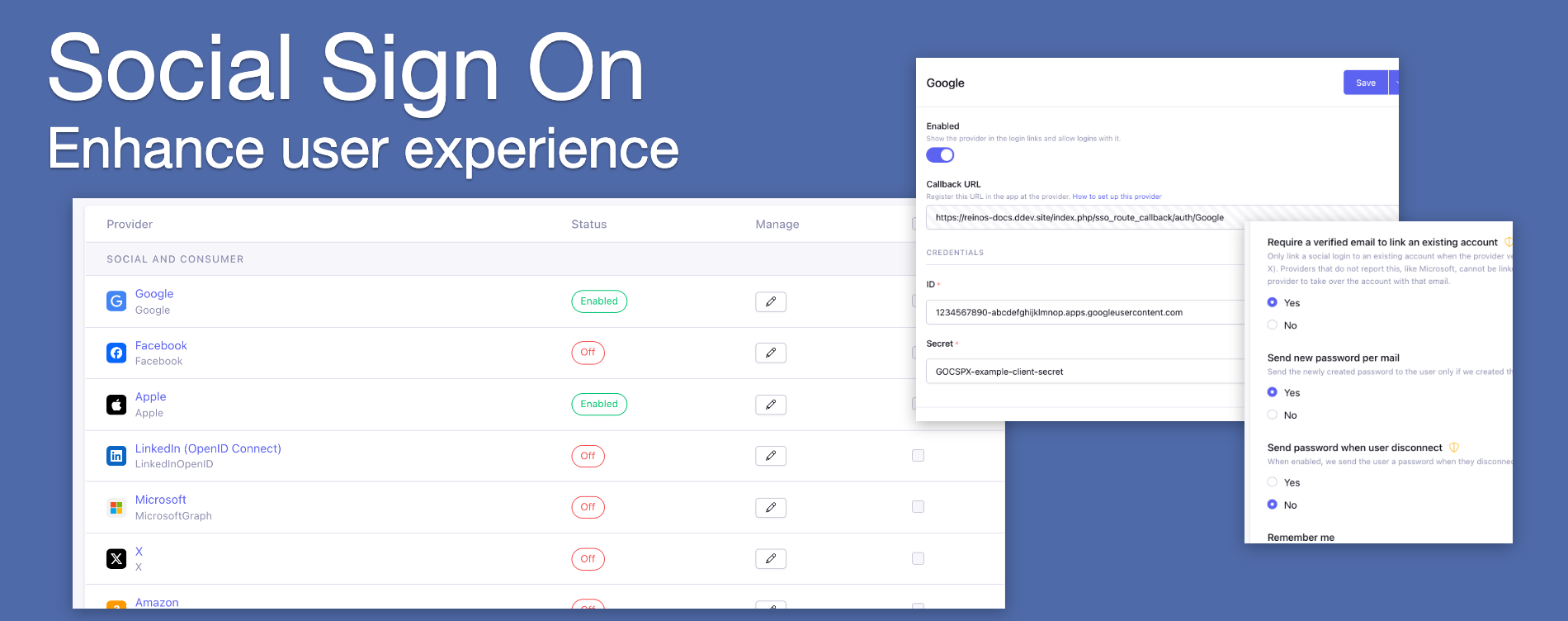
Log in with the accounts your visitors already have
Your visitors don't all live on Google or Facebook. Developers use GitHub or GitLab, gamers use Discord or Twitch, teams use Microsoft or Slack. With v6.0.0 Social Sign On supports Microsoft, LinkedIn (OpenID Connect), GitHub, Discord, X, Amazon, PayPal, Yahoo, Twitch, Slack, GitLab (also self-managed), Keycloak and Okta, next to Google, Apple and Facebook.
Running your own identity server? The new generic OpenID Connect provider connects Auth0, Authentik, Zitadel and others, with discovery and PKCE. Fill in the issuer, and Social Sign On finds the rest.
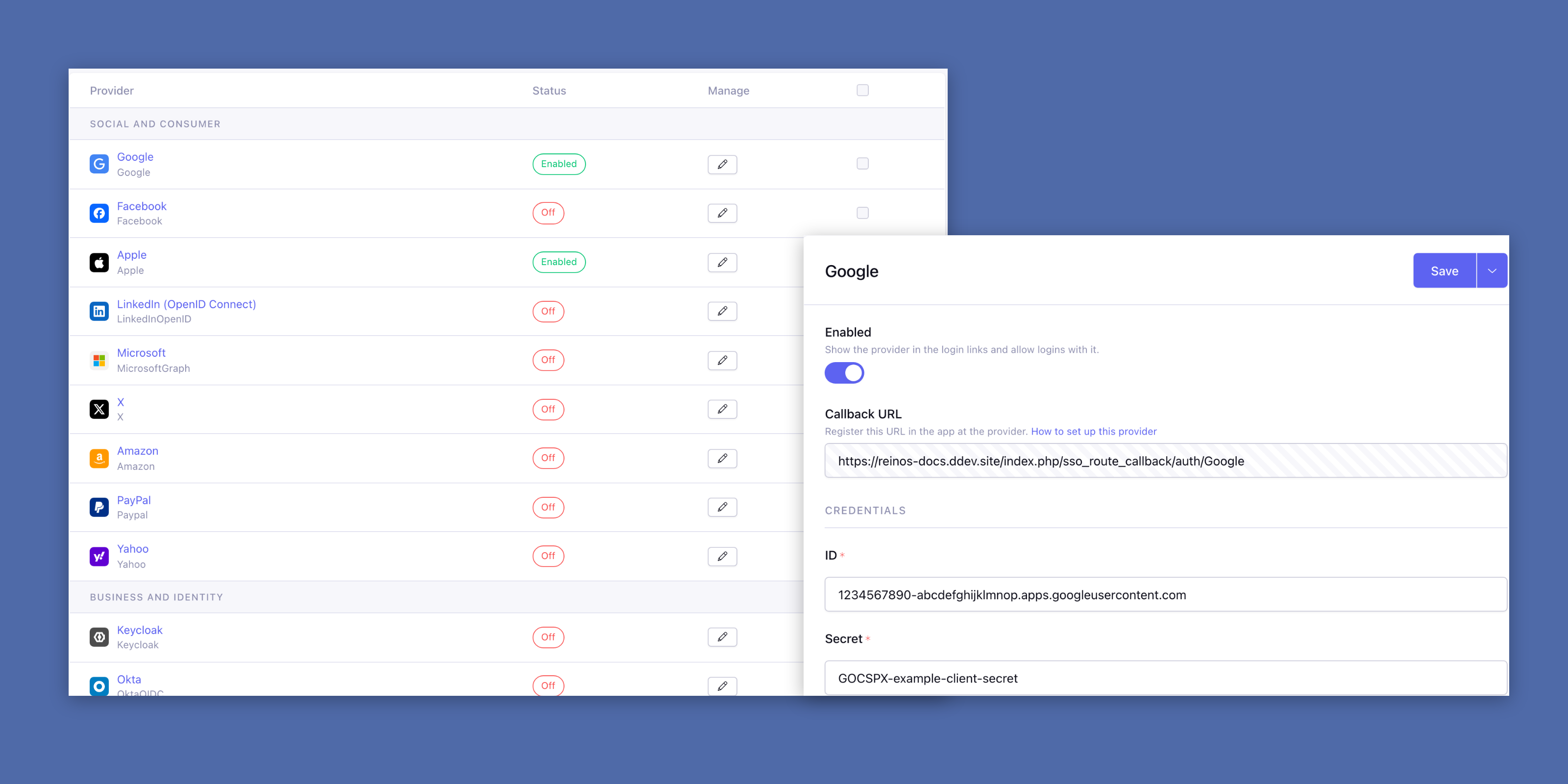
A control panel that shows you where you stand
The providers page is now an overview per group, with an icon and the status of every provider. One look tells you which logins are enabled. Each provider has its own edit page, with the callback URL you register at the provider and a link to the set-up instructions.
Prefer to keep your credentials out of the database? Set them in config.php with $config['reinos_sso_providers'], for example from environment variables.
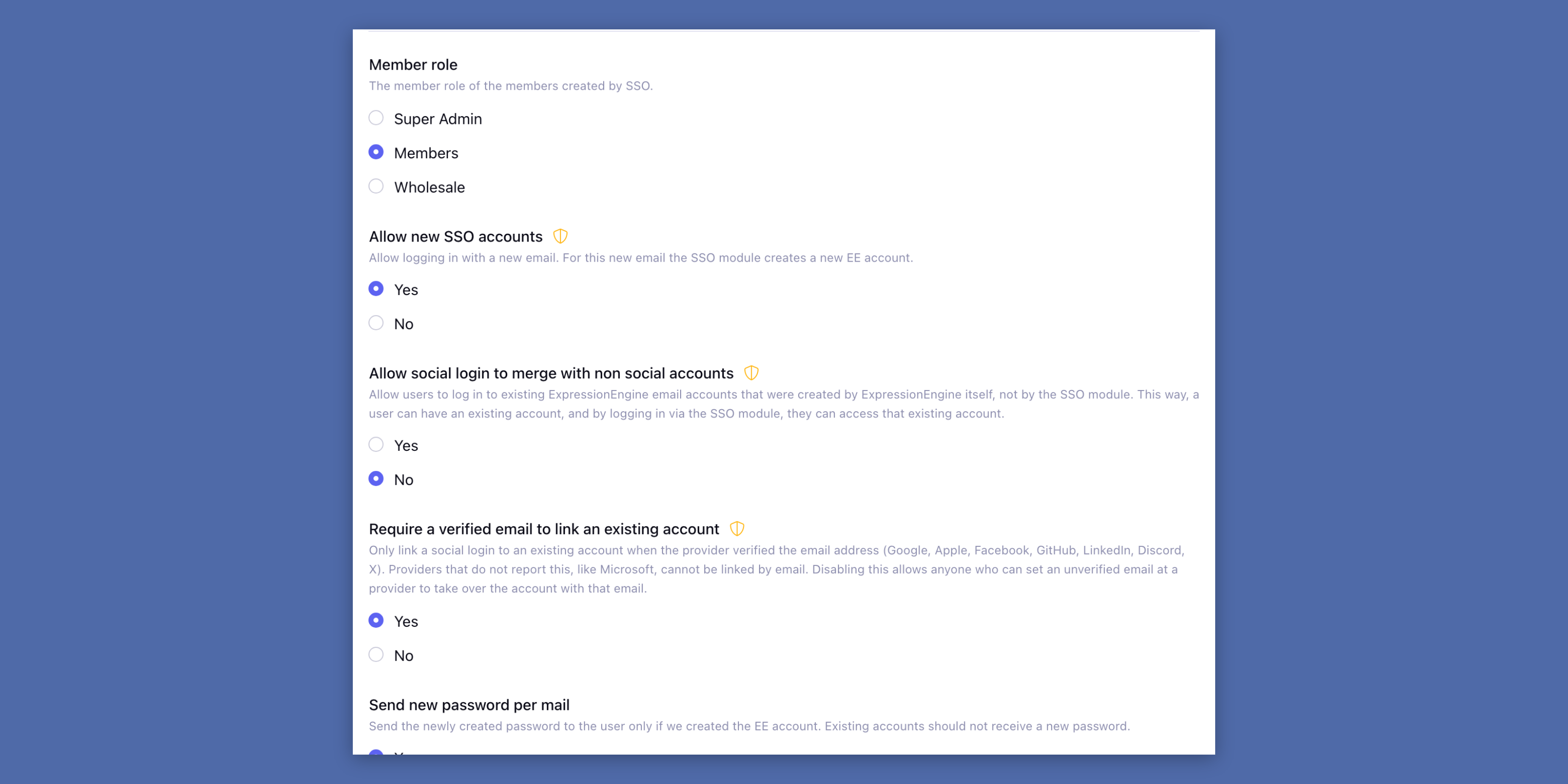
Safer account linking
When a visitor logs in with an email address that already has an account, Social Sign On can link the provider to that account. With the new setting Require a verified email to link an existing account (on by default), that only happens when the provider has verified the email address. A new Remember me setting keeps members logged in after a social login, like the "remember me" checkbox of the login form.
This release also improves the security of the add-on in several places. Updating is strongly recommended.
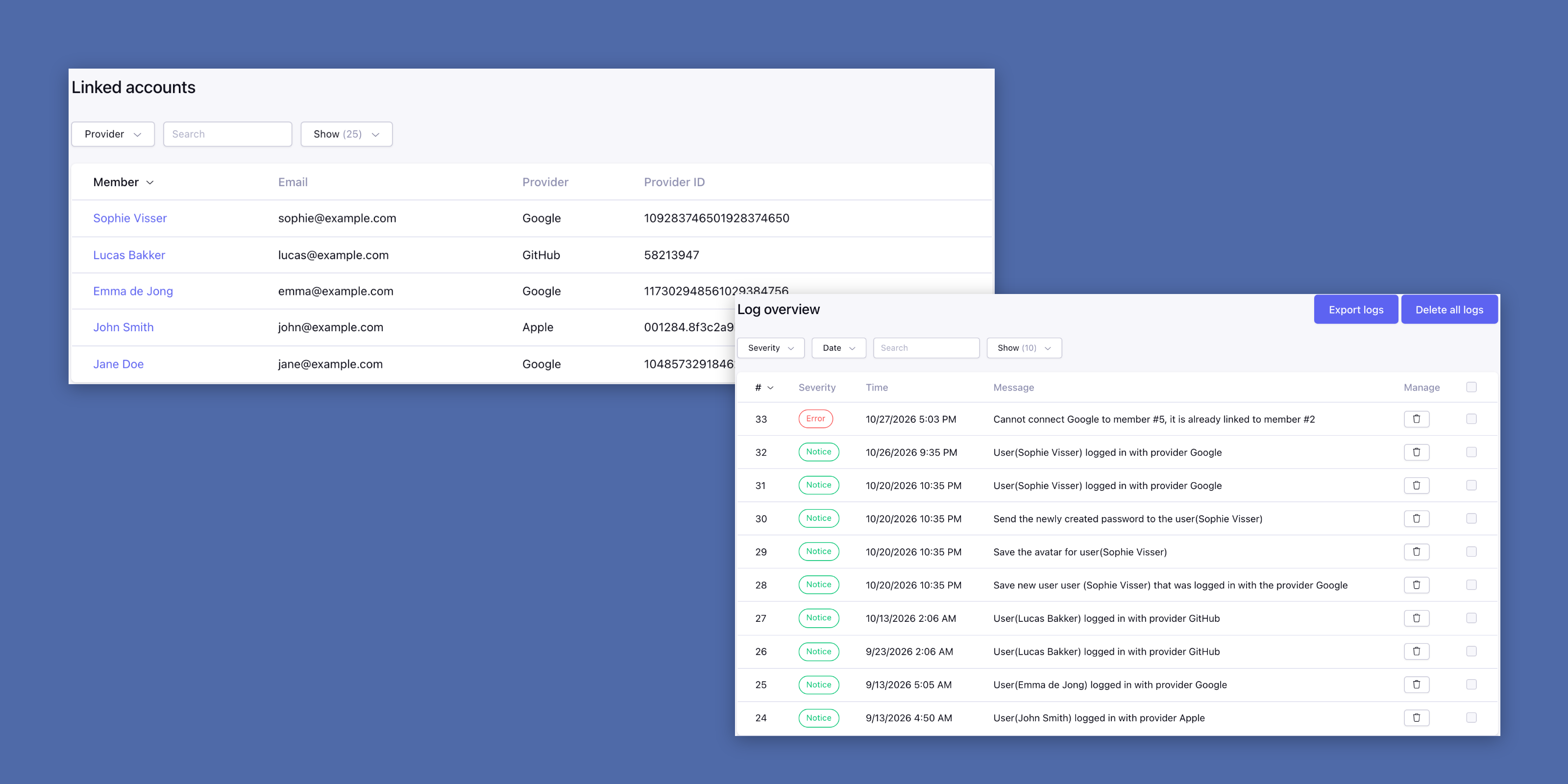
Know who logs in, and how
The Linked accounts page now has paging, a provider filter and a search on the name and email of the member. The log got filters on severity, date and keyword, bulk delete and a CSV export. So when a member asks why their login didn't work, you have the answer in seconds.
More highlights
- New hooks:
sso_before_create_member,sso_auth_errorandsso_disconnect, to run your own code at every step. - Build your own links: the new global variables
{reinos_sso_auth_url}and{reinos_sso_disconnect_url}. - Translated errors:
translate="yes"on{exp:reinos_sso:auth_error}. - Up to date: Hybridauth 3.13.0, phpseclib 3.0.57 and php-jwt 7.2.1 under the hood.
- Important fixes: connecting a provider with
{provider_connect_link}works again, linking a provider to an existing member no longer sends a new password email or replaces the avatar, and an enabled provider with missing settings no longer breaks the logout.
Breaking changes to check before you upgrade
- Social Sign On 6 requires ExpressionEngine 7.3+ and PHP 8.0+. Still on ExpressionEngine 6? Use the legacy package (
legacy/ee_sso-v5.9.0.zip). - Disconnect links you built yourself must add
&csrf_token={csrf_token}. The links of{provider_disconnect_link}already do. - The
$new_memberparam of thesso_loginhook is only true when the login created the member. - The Instagram provider is removed, together with the accounts linked to it: Instagram has shut down the API it used. Members that only logged in with Instagram can set a password with Forgot password.
- Your server needs an up-to-date CA bundle.
Want the complete picture? Every change is listed in the Social Sign On v6.0.0 changelog. Be sure to read Updating to v6.0.0 before you upgrade, and check the setting Require a verified email to link an existing account afterwards. As always, the documentation comes with copy-paste examples, so you can get up and running in no time.