

Email Form
Create emails from within your templates. Define your own fields, and use the dynamically created variables inside the email template tag.
Your form. Your email. Your markup.
Email Form sends the forms on your site as email, built in your own templates. You write the HTML of the form and the email; Email Form takes care of sending, spam and keeping the submissions.
Key features
-
Forms in your templates
Write the form and its emails in your own templates, without a form builder in between.
Read more (opens in a new tab) -
Submissions
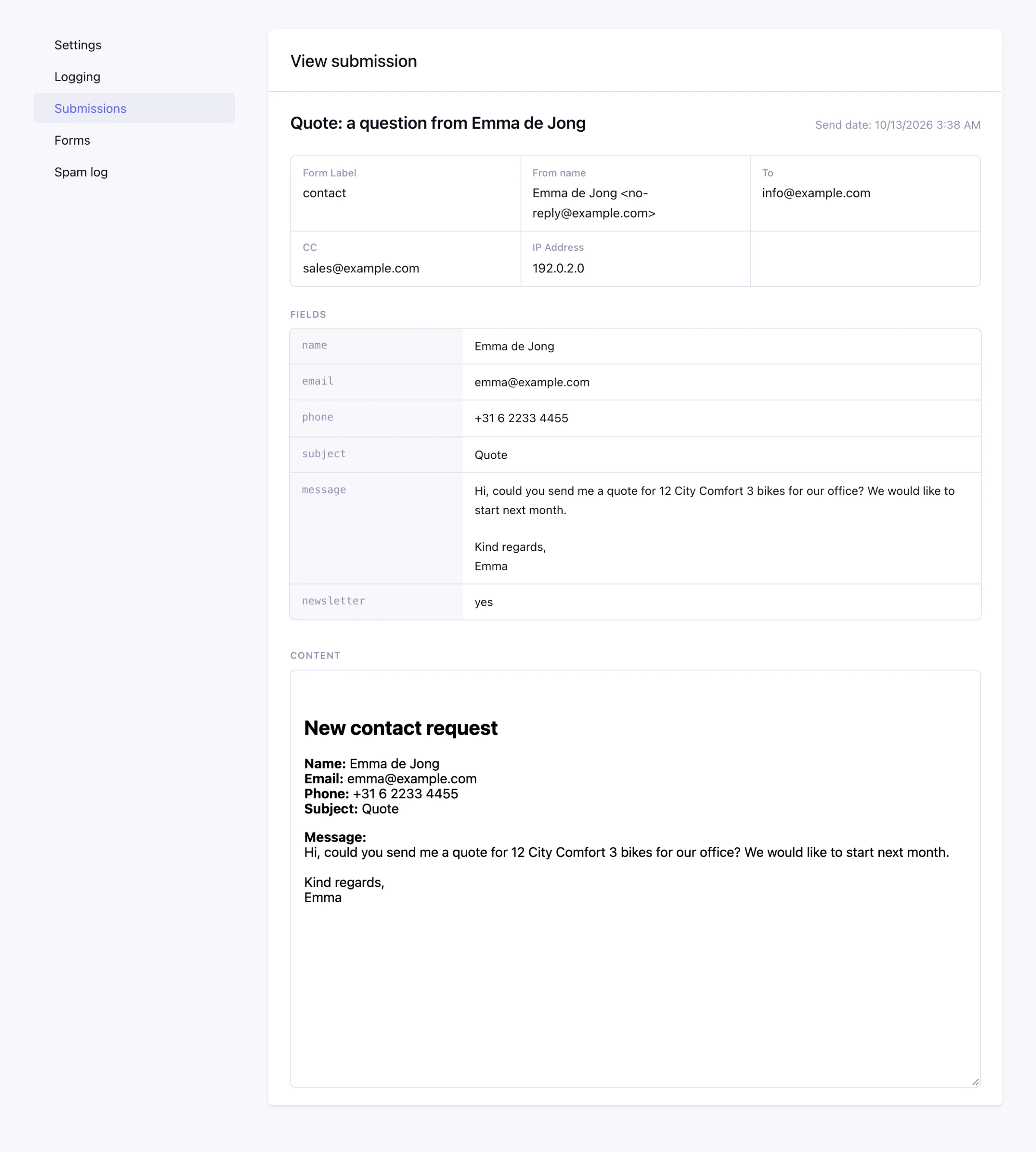
Every submission saved with its fields, to view, filter and export.
Read more (opens in a new tab) -
Spam protection
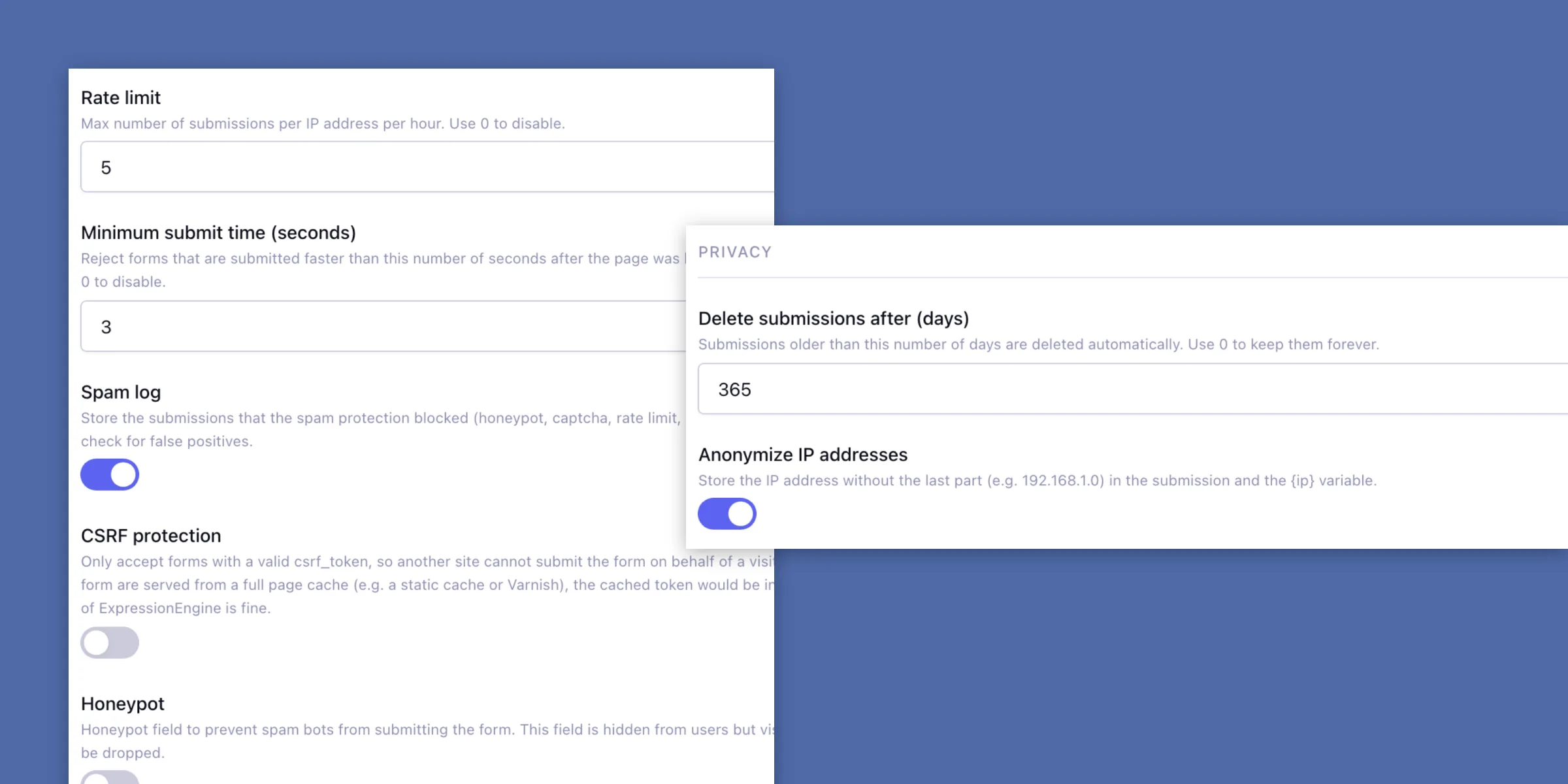
Captchas, a honeypot and limits that stop bots before an email is sent.
Read more (opens in a new tab) -
Privacy
Delete submissions after a number of days and anonymize IP addresses, or don't store submissions at all.
Read more (opens in a new tab) -
Ajax
Submit the form with JavaScript and get a JSON response with the errors per field.
Read more (opens in a new tab) -
Attachments
Let visitors upload files and send them along with the email.
Read more (opens in a new tab) -
Saved forms
Keep a form in the control panel and change it on the live site without a deploy.
Read more (opens in a new tab)
The form and the email in one template
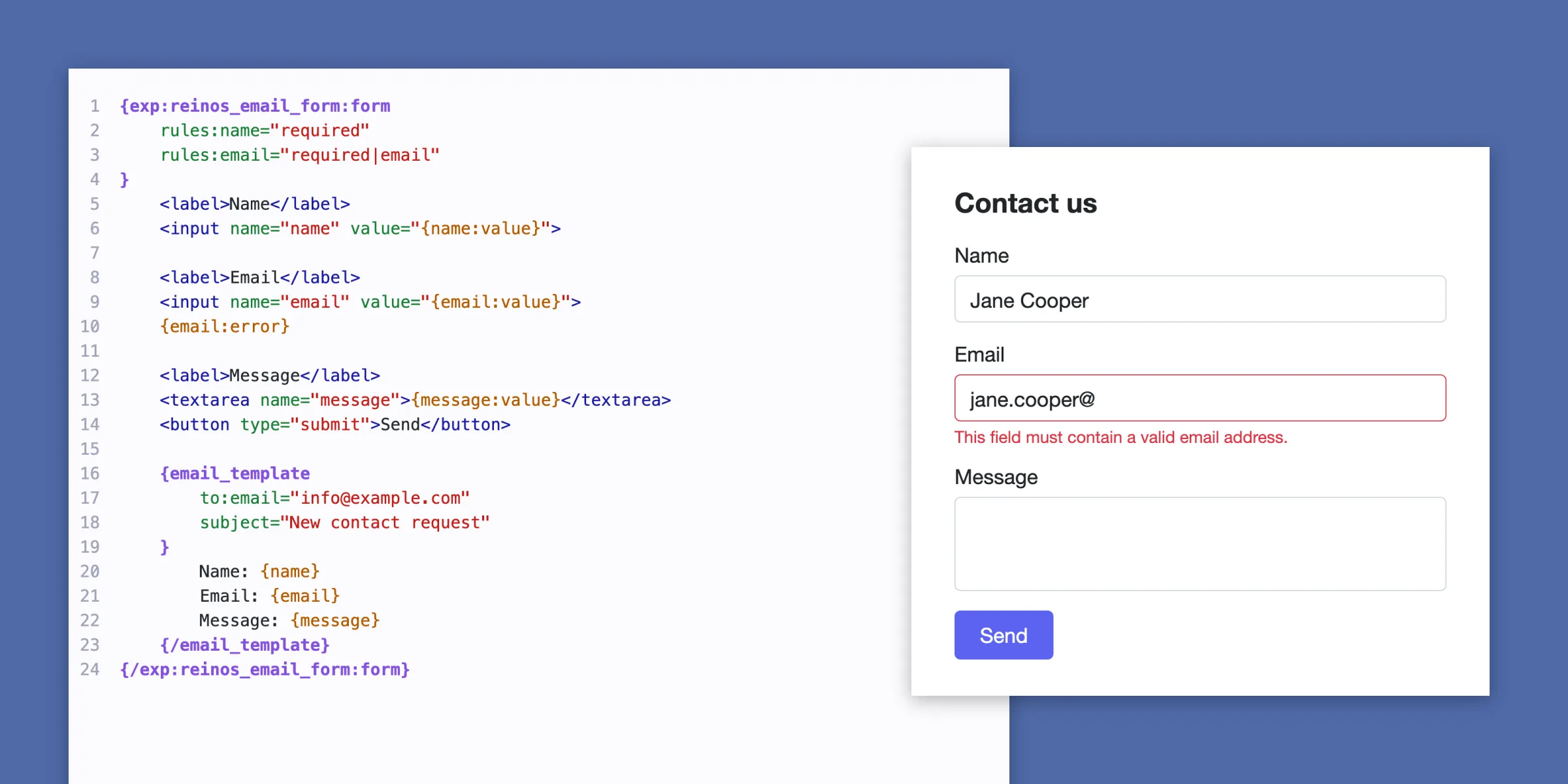
Put your fields inside {exp:reinos_email_form:form} and the email inside an {email_template} pair. A field named address is {address} in the email.
Add a second {email_template} to send the visitor a confirmation with its own subject, recipient and layout.
Bots stay out, real messages get in
Combine the EE captcha, Google reCAPTCHA, Cloudflare Turnstile, a honeypot field, a rate limit and a minimum submit time.
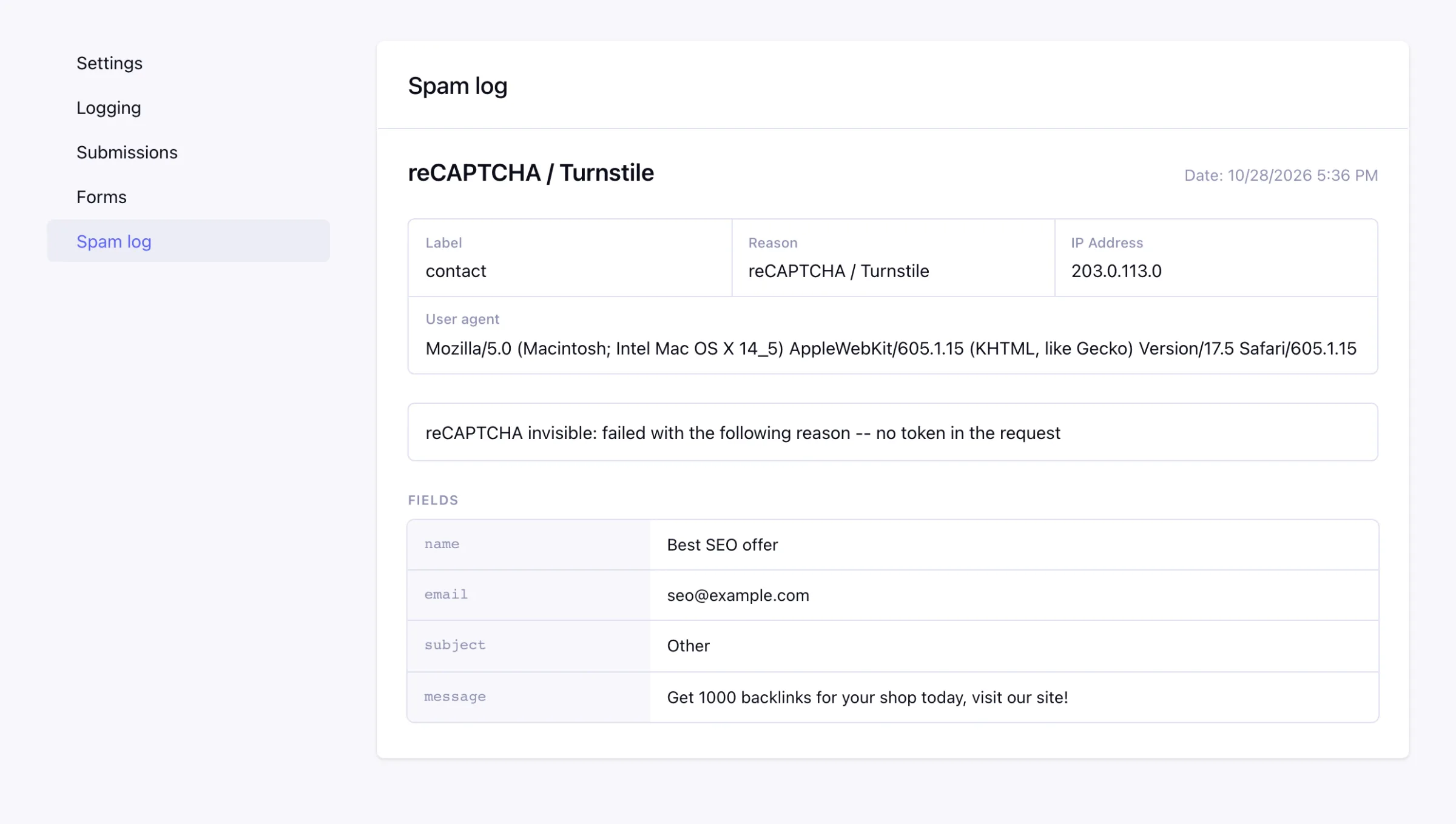
Every blocked submission lands in the spam log with the reason and the detail, like the reCAPTCHA score. So you see a false positive before a customer tells you.
Read more in the docs (opens in a new tab)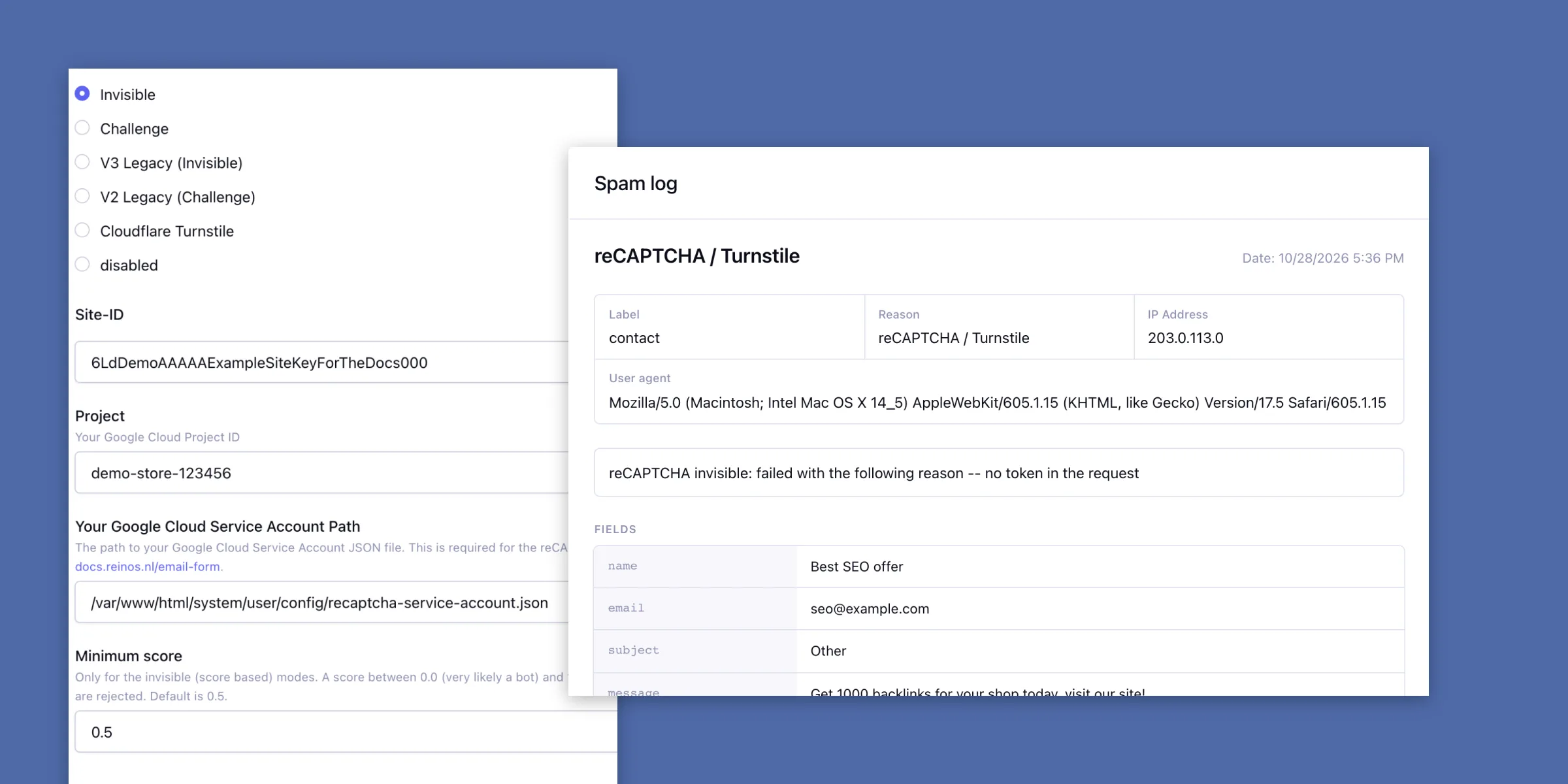
Every submission, one click away
Filter the submissions on form, period or keyword and open one to see the fields, the sender and the email exactly as it was sent. Export what you filtered to CSV.
Read more in the docs (opens in a new tab)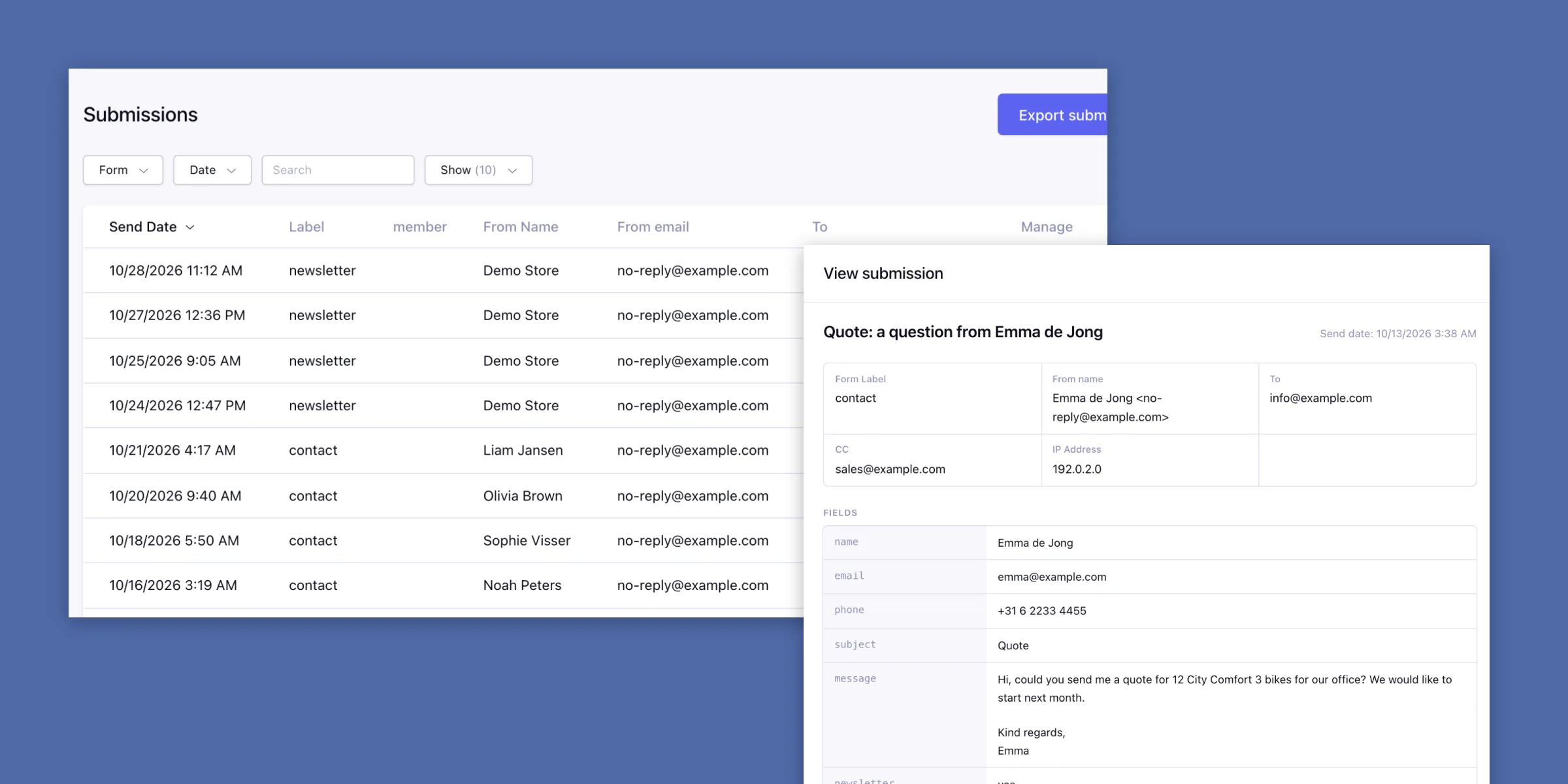
Change a form without a deploy
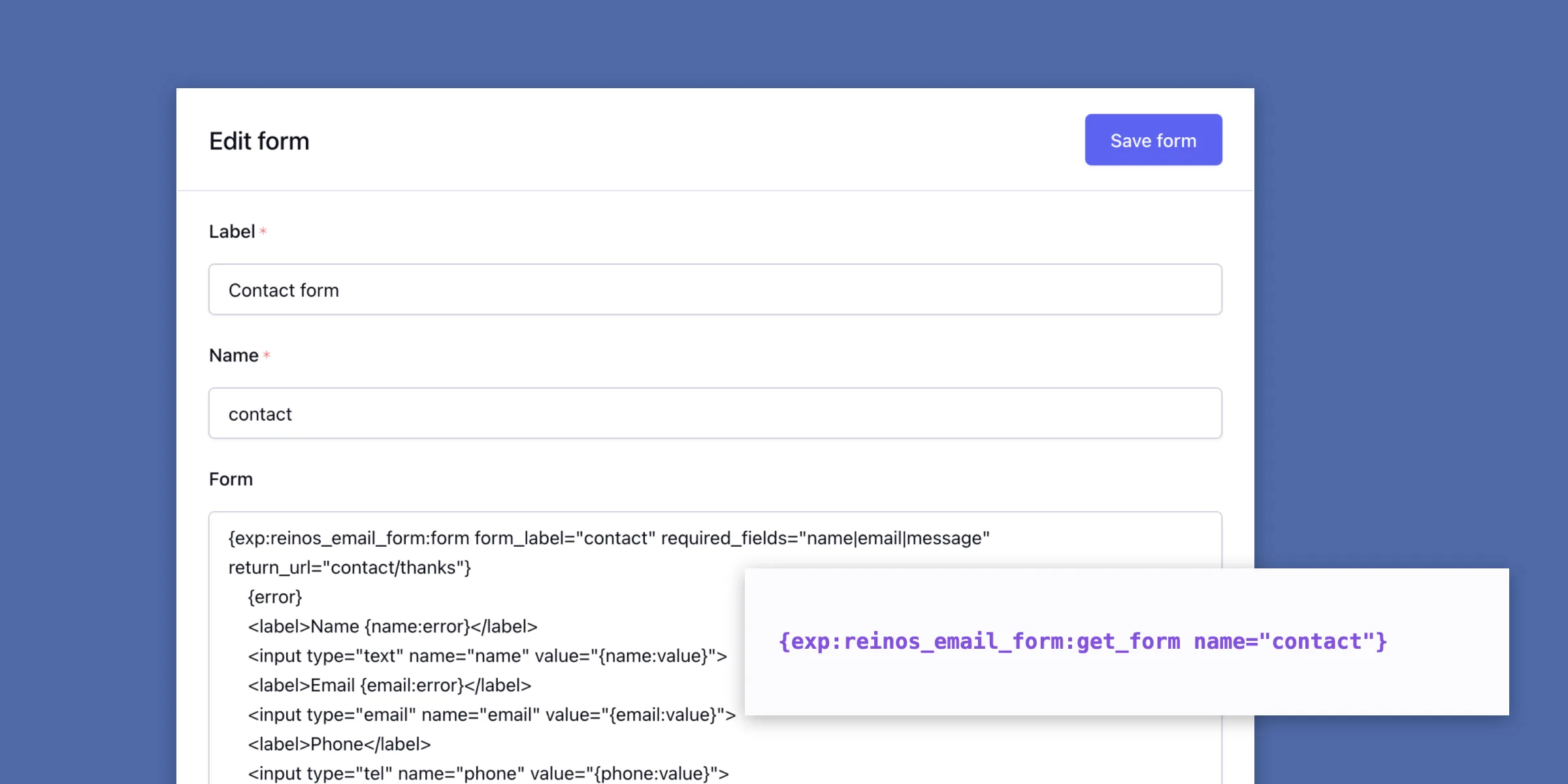
Is your site in Git? Save a form in the control panel and show it with {exp:reinos_email_form:get_form}. A new field or a different recipient is then a quick edit on the live site.
Screenshots
Requires ExpressionEngine 7.3+ and PHP 8.2+. Installation (opens in a new tab)