

Email Queue
The Email Queue Module optimizes bulk email delivery by batching outgoing emails, reducing server load, and ensuring efficient dispatch.
Bulk email without choking your server.
Email Queue sends the email of your site in batches from a cron job, instead of all at once. Your mail server stays responsive, you stay within the limits of your mail provider, and a failed email doesn't block the rest.
Key features
-
Batches
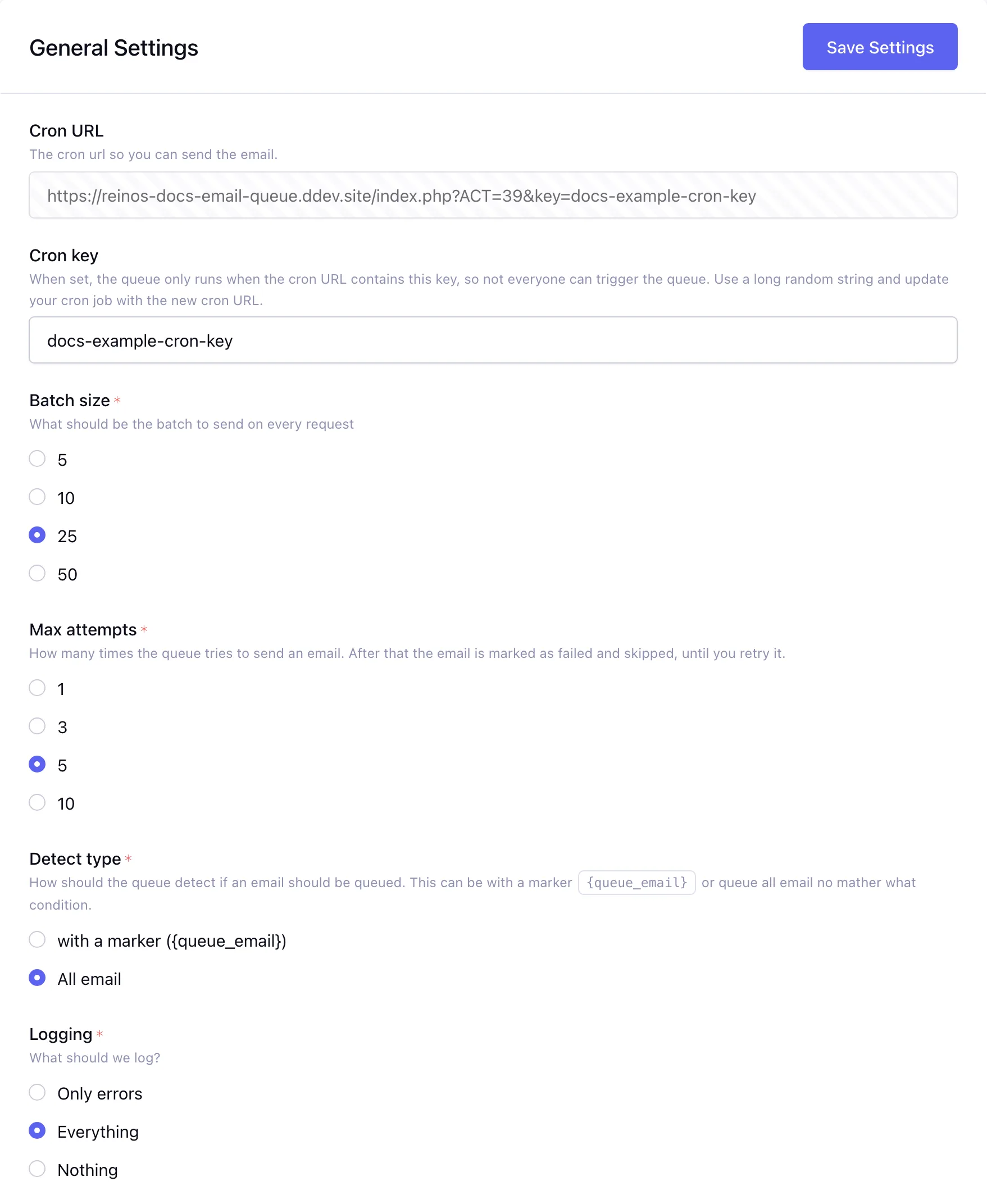
Emails go out in batches of the size you choose, on every run of the cron job.
Read more (opens in a new tab) -
You choose what is queued
Queue only the emails with a marker, or every email.
Read more (opens in a new tab) -
Retries
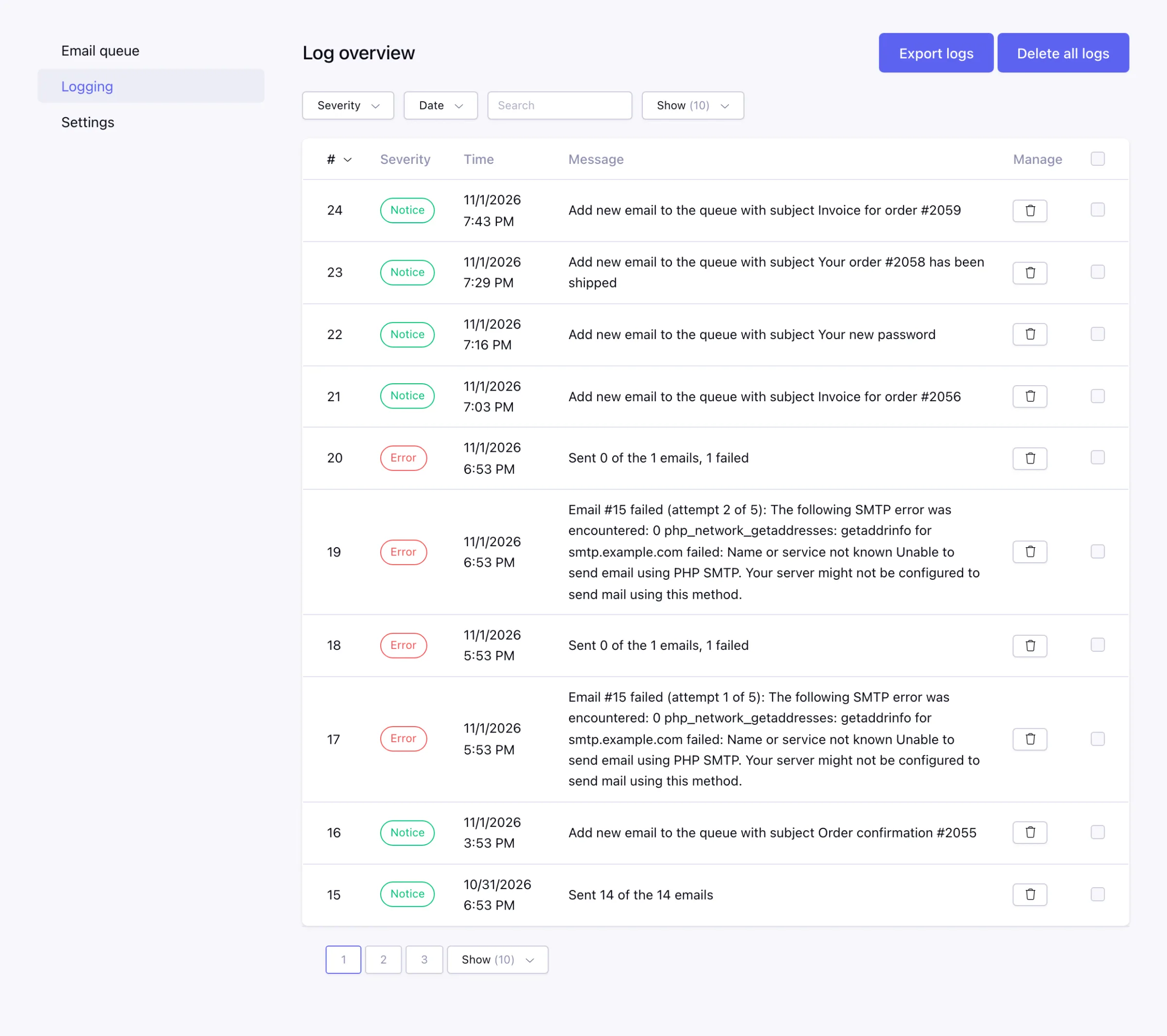
A failed email is tried again, with the error of every attempt.
Read more (opens in a new tab) -
Queue overview
See what is queued, retrying or failed, and filter on status or keyword.
Read more (opens in a new tab) -
Own SMTP server
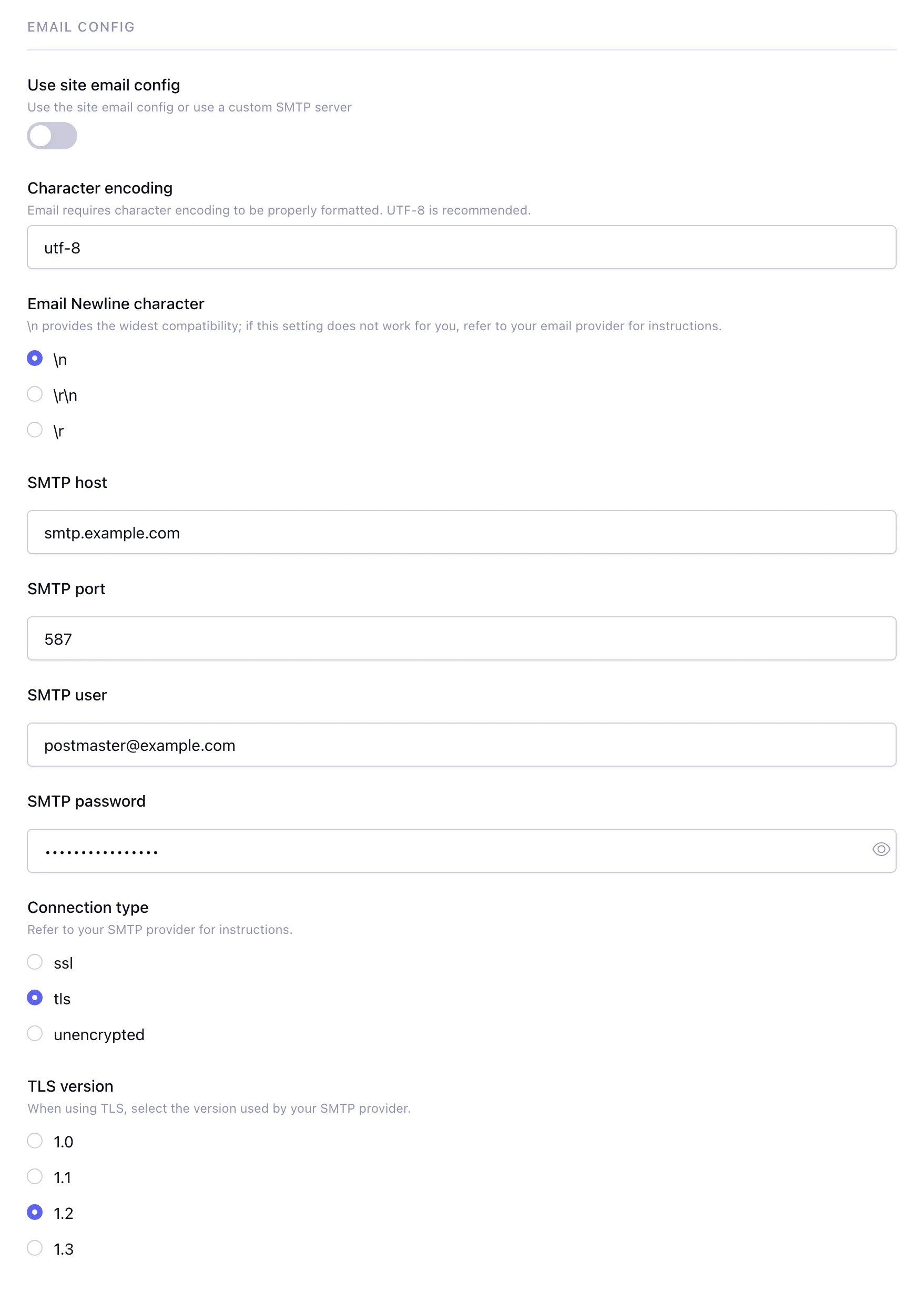
Send the queue through its own SMTP server instead of the email settings of the site.
Read more (opens in a new tab) -
Cron key
Only a cron URL with your key can run the queue.
Read more (opens in a new tab) -
Queue API
Other add-ons add an email to the queue directly, attachments included.
Read more (opens in a new tab)
One failed email doesn't hold up the rest
When an email can't be sent, the error is stored and the email is tried again on the next run. After the last attempt it is marked as failed and skipped, so the rest of the queue keeps going.
Fix the cause and send the failed emails again with one button. Reply-to, the alt message and attachments are kept.
Read more in the docs (opens in a new tab)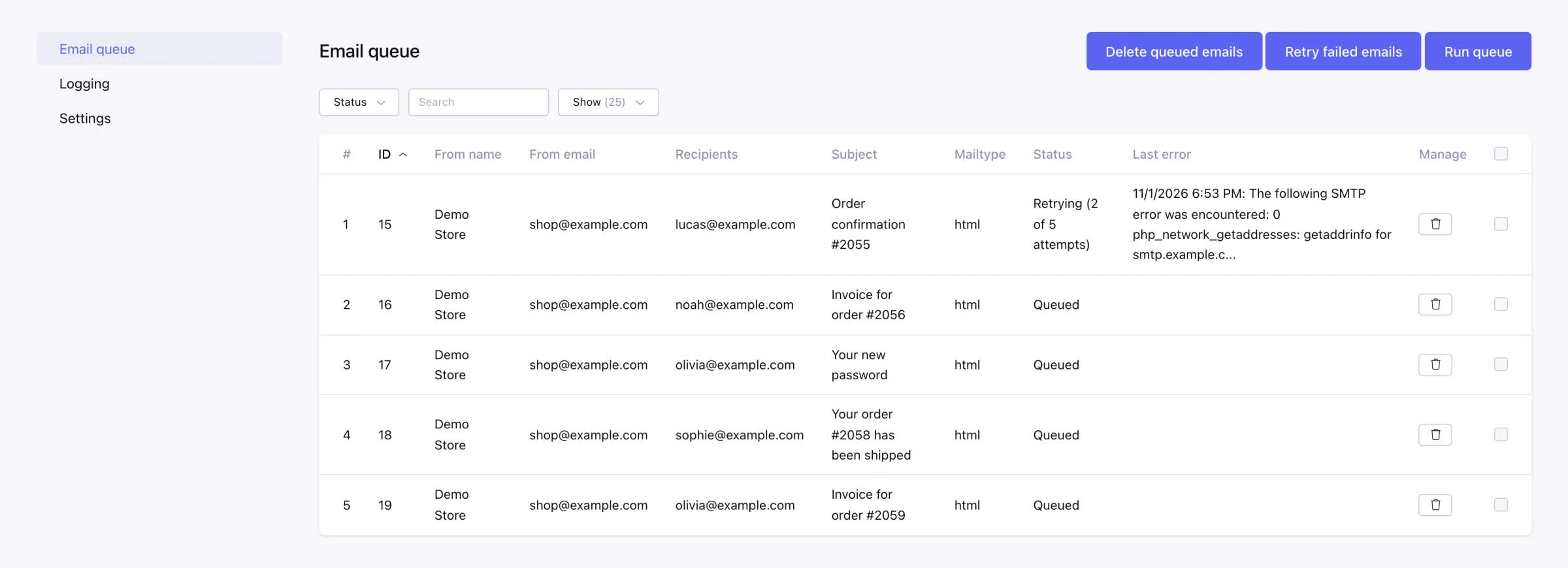
Queue the newsletter, not the password reset
Put {queue_email} in the emails you want to queue, like a newsletter, and the marker is removed before sending. Everything else goes out right away. Or let the queue take every email the site sends.
Screenshots
Requires ExpressionEngine 7.3+ and PHP 8.0+. Installation (opens in a new tab)