

Email Template
Wrap every email that ExpressionEngine sends in your own HTML template, and see every email that went out.
Every email in your own style.
Email Template wraps every email that ExpressionEngine sends in your own HTML template. One place for your branding, and a record of everything that went out.
Key features
-
One template for all email
From the Communicate tab to your add-ons: every email sent through ExpressionEngine gets your template.
Read more (opens in a new tab) -
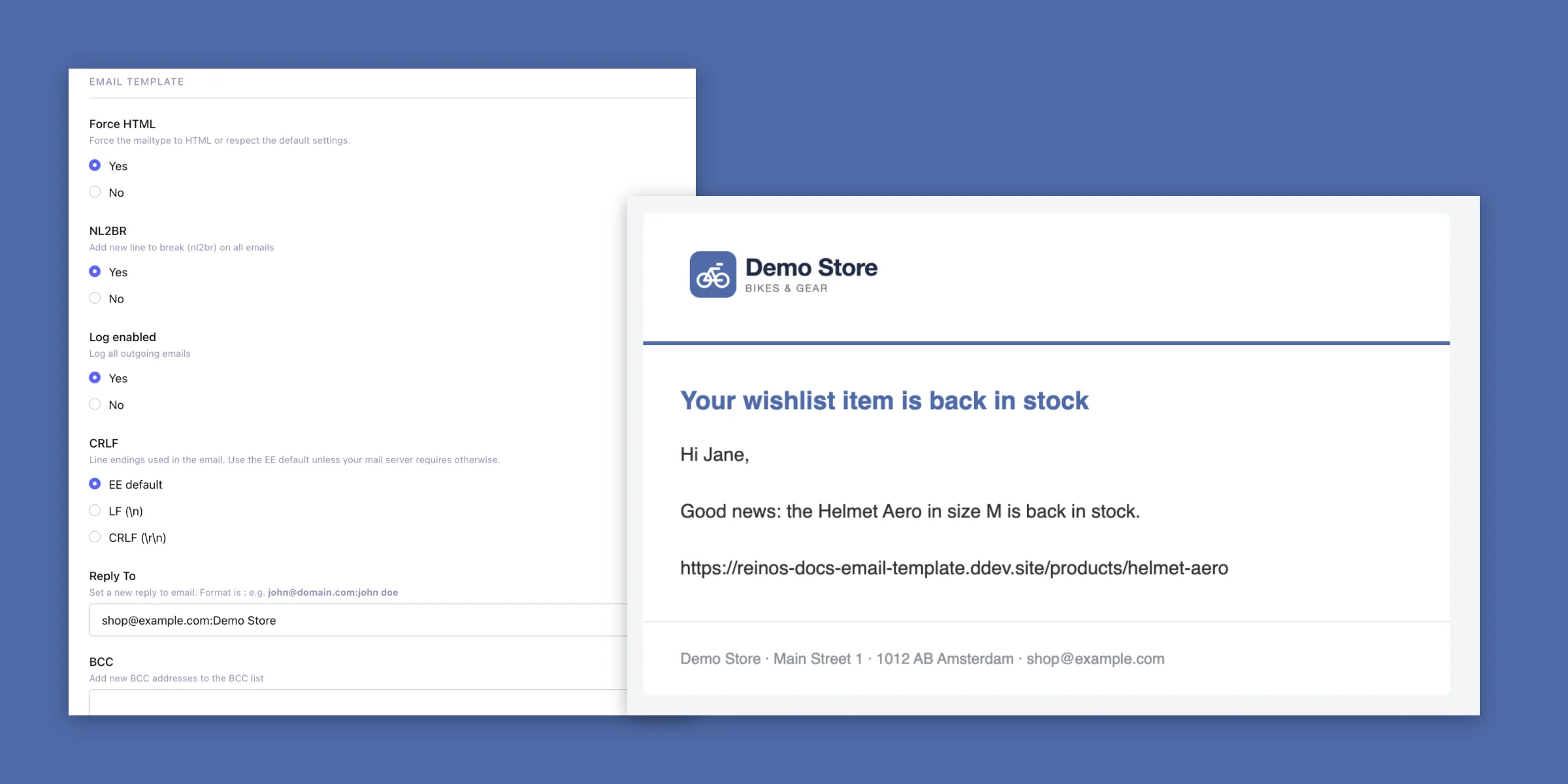
HTML or text
Force HTML sends plain text emails in your HTML template as well.
Read more (opens in a new tab) -
Skip the template
Add
Read more (opens in a new tab){do_not_parse}to an email to send it as it is. -
Outgoing emails
Every email that was sent, with its recipients, subject and date.
Read more (opens in a new tab) -
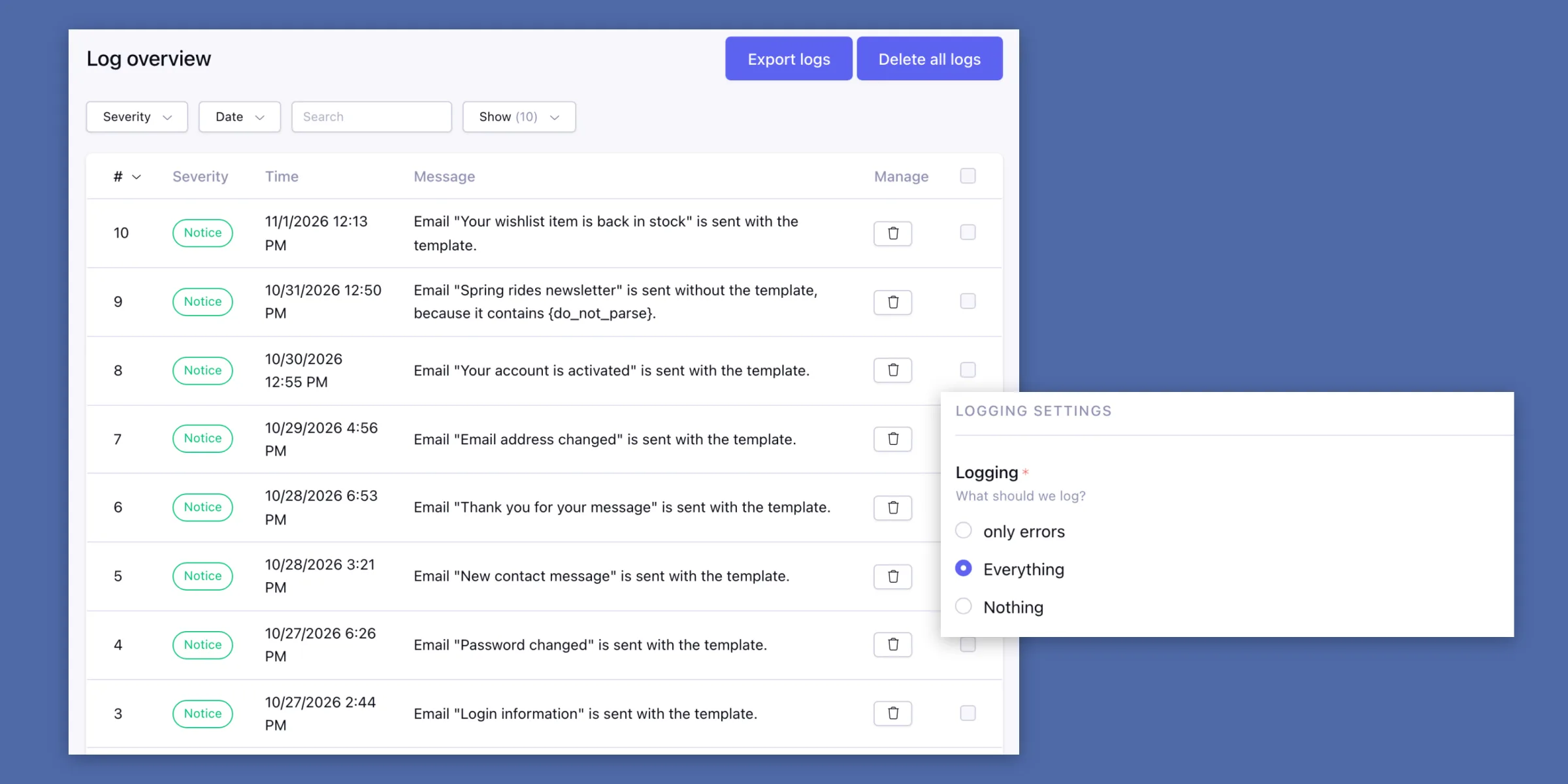
Logs
Errors and notices while sending, to filter and export to CSV.
Read more (opens in a new tab)
Your branding on every email
Put {subject} and {body} in an HTML template in the settings. Email Template places each email in it just before it is sent. Template tags in the template are parsed, the body itself is left alone.
When the template can't be used, the email still goes out, without the template, and the reason is in the log.
Read more in the docs (opens in a new tab)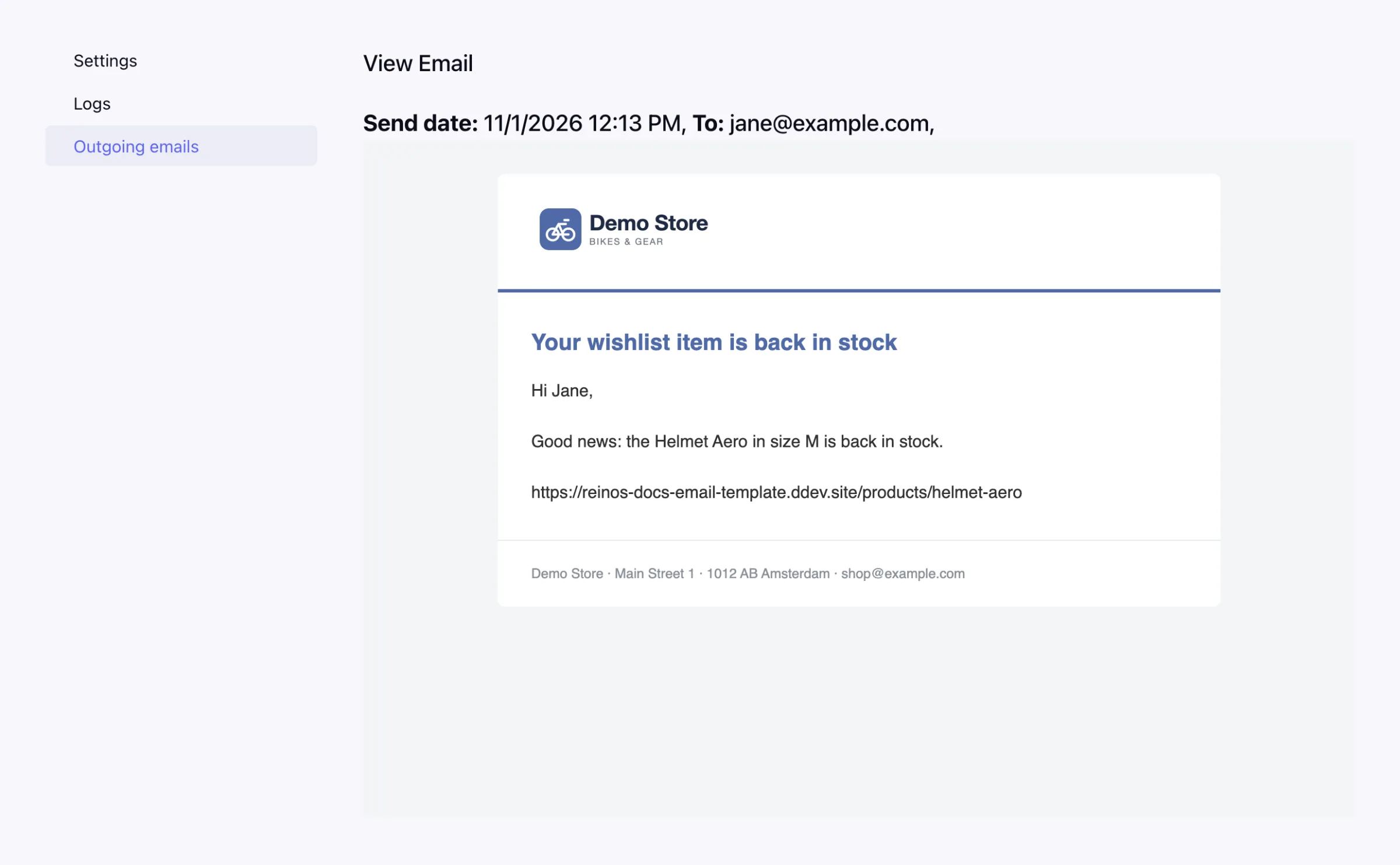
See exactly what was sent
Turn on the log and every outgoing email is stored. Filter on a date or a keyword in the subject or the addresses, and open an email to see it as the recipient got it.
Read more in the docs (opens in a new tab)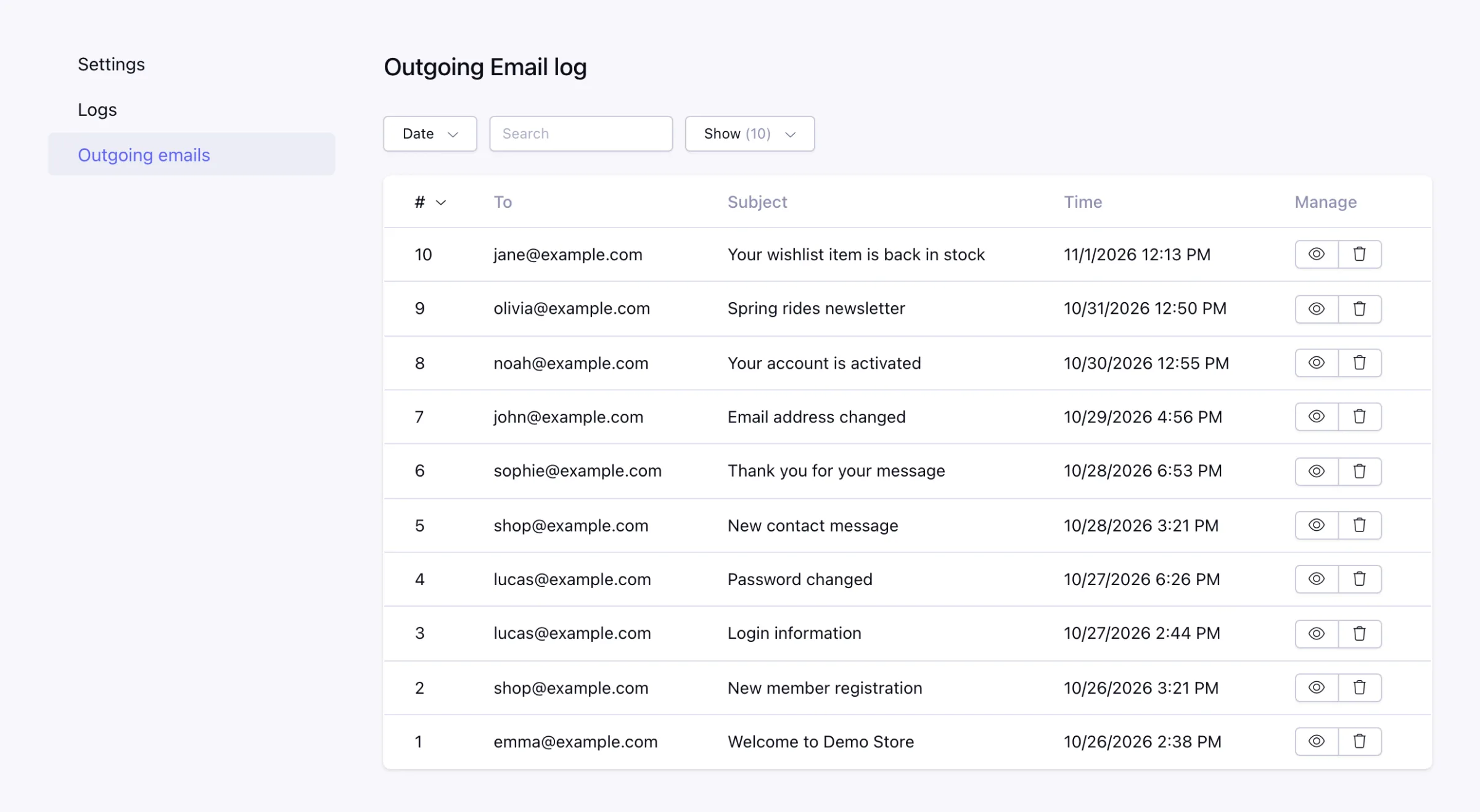
Screenshots
Requires ExpressionEngine 7.3+ and PHP 8.0+. Installation (opens in a new tab)