

Store Price Rule
Take complete control over your pricing strategy with the Store Price Rule module
Discounts, coupons and free gifts for Store.
Store Price Rule replaces the discounts of Reinos Store with price rules you set up in the control panel. The discounts show up in the regular Store tags and variables, so your cart templates keep working, and your existing Store discounts are moved over as rules.
Key features
-
Cart discounts
A percentage or a fixed amount off the cart, from a minimum cart total or quantity.
Read more (opens in a new tab) -
Product discounts
Lower the price of the products you choose, with the old price next to it in the cart.
Read more (opens in a new tab) -
Free shipping
No shipping costs once the cart meets your conditions.
Read more (opens in a new tab) -
Buy X Get Y Free
A free product is added to the cart when the customer buys one of the products you choose.
Read more (opens in a new tab) -
Coupon codes
Turn any rule into a coupon that the customer enters in the Store cart.
Read more (opens in a new tab) -
Clear code errors
Tell the customer why a code gives no discount, and stop an order whose code was used up in the meantime.
Read more (opens in a new tab) -
Members and roles
Give a discount only to the members or member roles you select.
Read more (opens in a new tab) -
Reorders and renewals
Give a discount only on the products that reorder or renew an earlier order, once per ordered product if you like.
Read more (opens in a new tab) -
Start and end date
Plan a promotion ahead: the rule only applies between its dates.
Read more (opens in a new tab) -
Usage limits
Limit how often a rule is used, in total and per customer.
Read more (opens in a new tab) -
Usage per rule
See how often each rule is used and which orders used it.
Read more (opens in a new tab) -
Stacking
Let the rules add up, or stop at the first rule that matches.
Read more (opens in a new tab)
Rules in the order you choose
All rules are in one overview, grouped into cart, product and Buy X Get Y Free rules, with their code, dates and status. Each group is applied from top to bottom: move a rule up or down with the arrows.
With stacking on, every next rule works on what is left: two rules of 10% on a cart of 100 take off 10 and then 9.
Read more in the docs (opens in a new tab)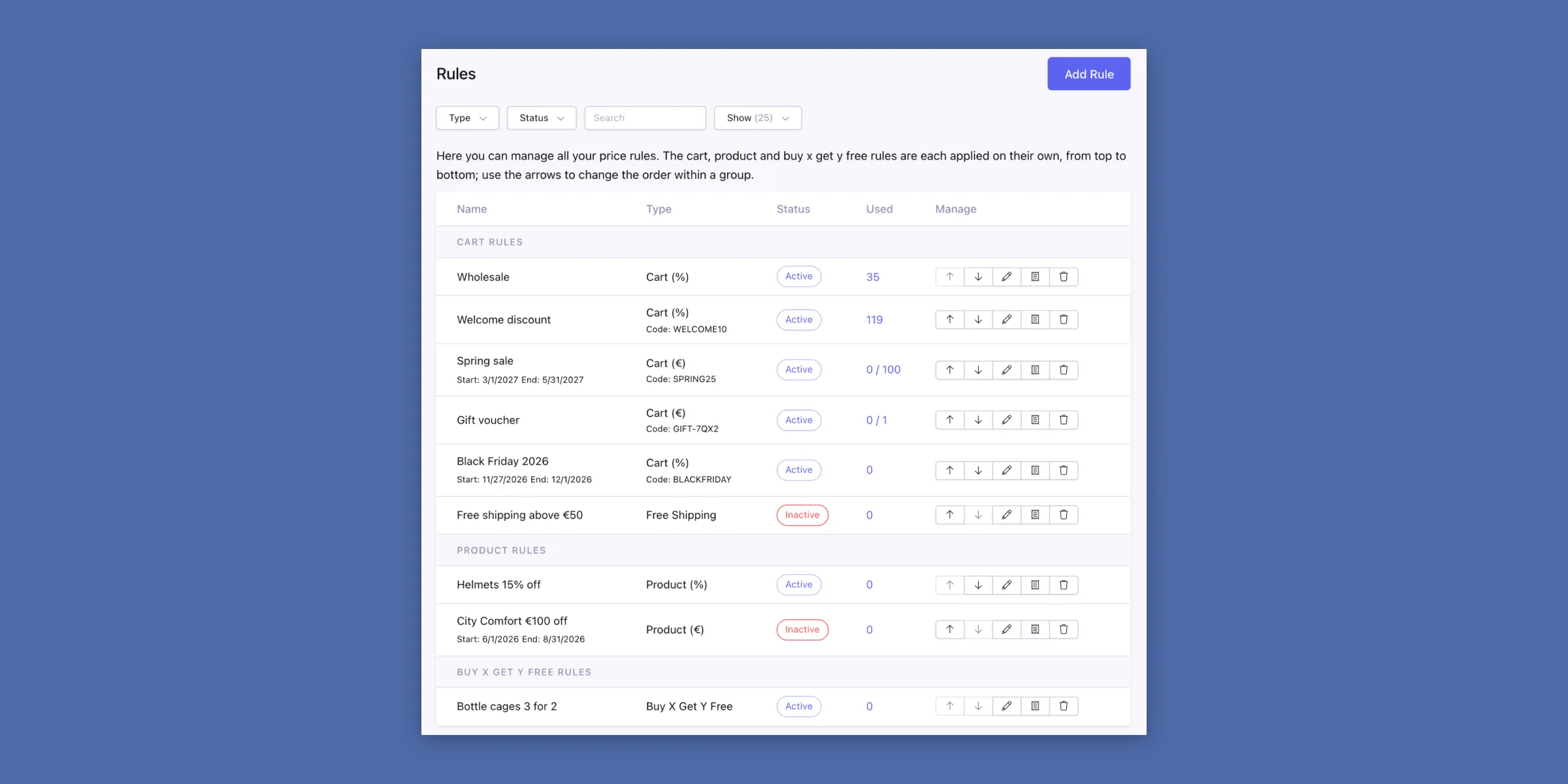
Automatic, or with a code
Choose per rule whether it applies as soon as its conditions are met, or only when the customer enters its code. Upper and lower case don't matter, and every rule has its own code.
The conditions are checked again on every cart load: when the cart no longer meets them, for example the minimum cart total, the code is removed from the cart.
Read more in the docs (opens in a new tab)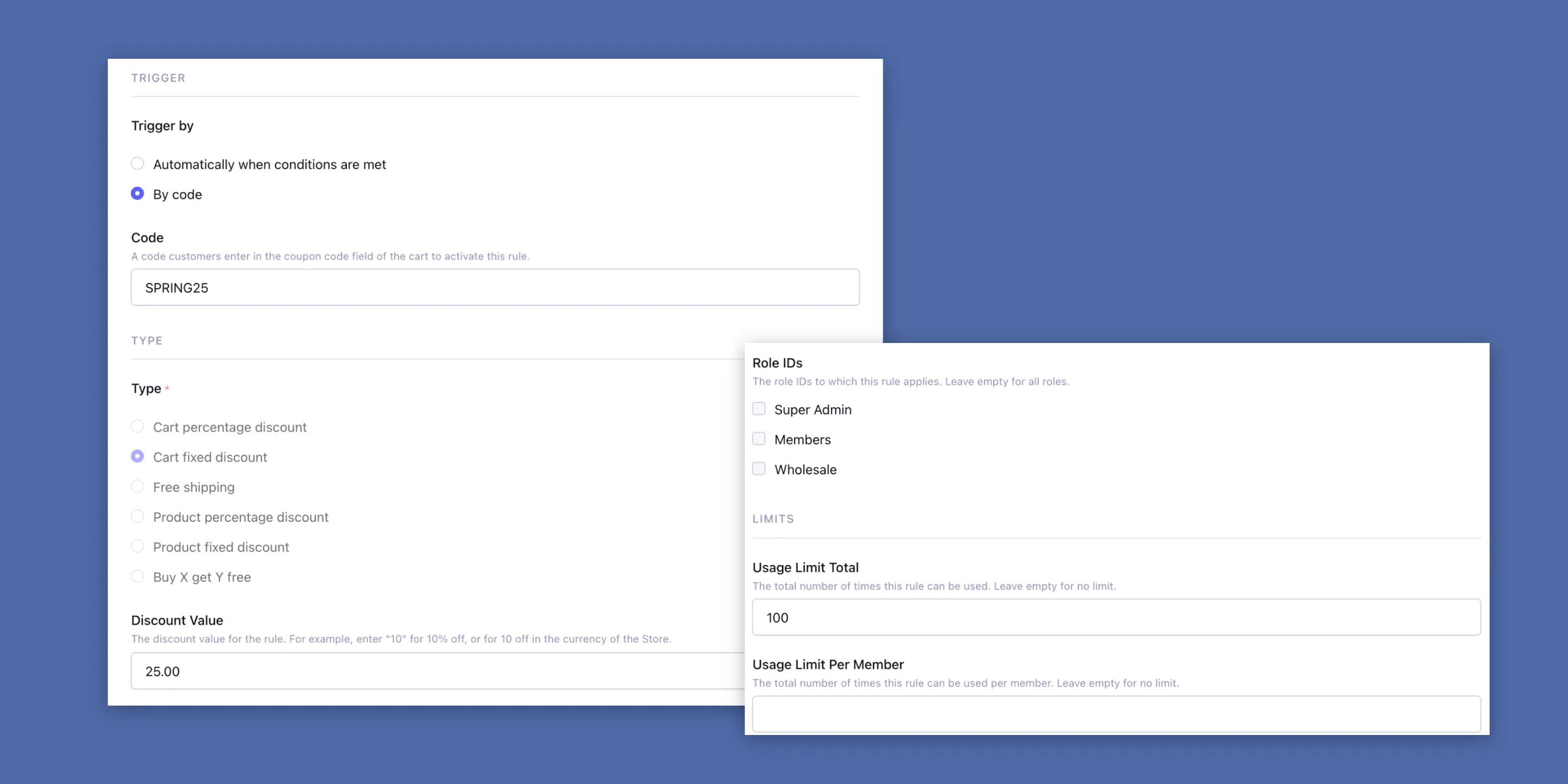
Know which orders used a rule
The *Used* column shows in how many orders a rule was used, next to its limit (0 / 100). Click it for the orders, with the customer, the status and the total.
Cancelled, failed, expired and refunded orders are listed, but don't count for the limits: cancel an open order and its single-use code can be used again.
Read more in the docs (opens in a new tab)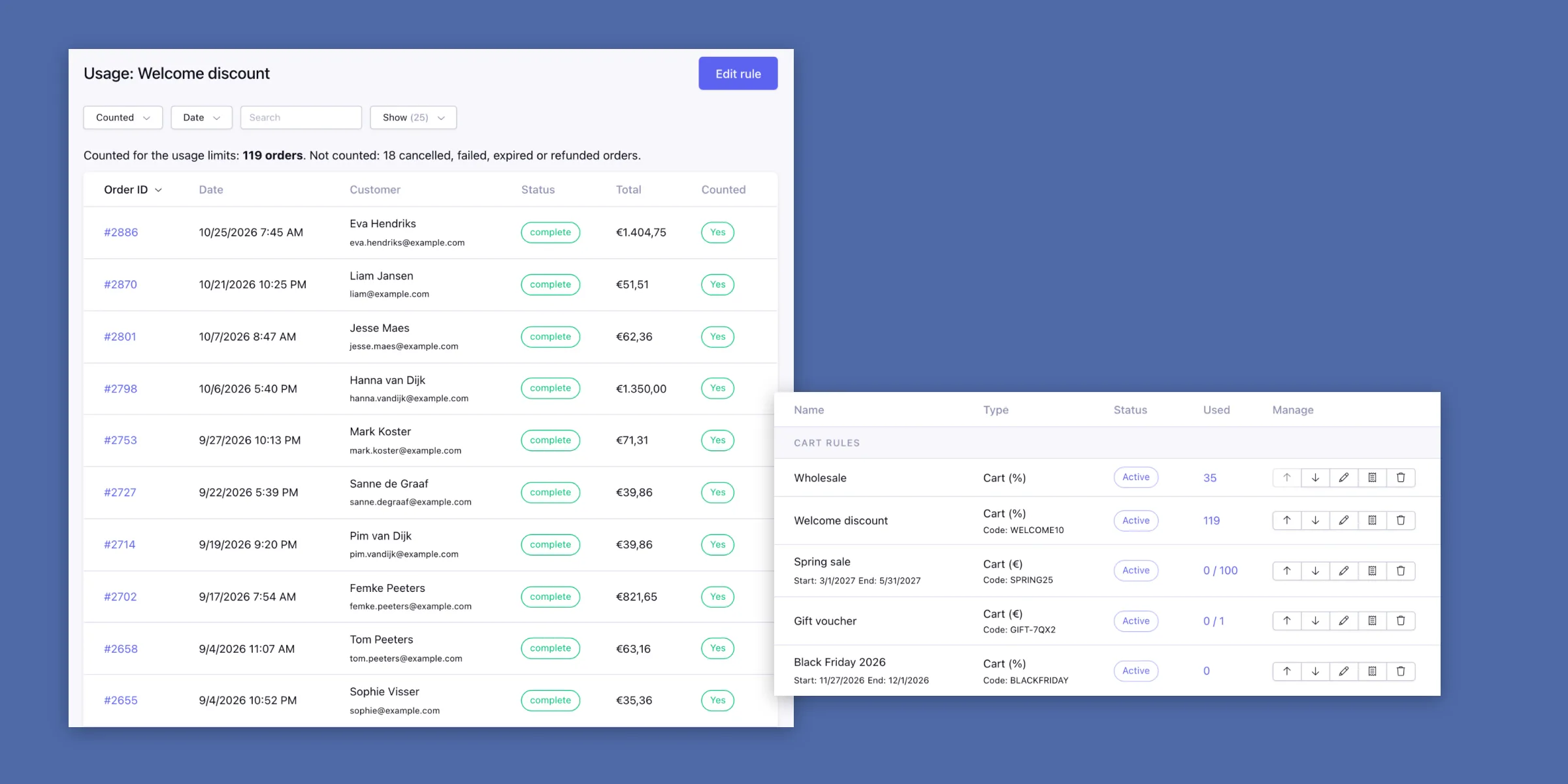
Requires ExpressionEngine 7.3+, PHP 8.2+ and Reinos Store 4.0.0+. Installation (opens in a new tab)