

Webservice
Your ExpressionEngine content as a REST API.
Webservice turns your ExpressionEngine site into a REST API. Apps, front ends and other systems read and write your entries, with the permissions you already set in the control panel.
Request
curl -G 'https://your-domain.com/index.php/webservice/entry' \
  -H 'Authorization: Bearer <shortkey>' \
  --data-urlencode 'data[entry_id]=43'
Response: 200 OK
{
    "success": true,
    "message": "Successfully read",
    "data": [
        {
            "entry_id": 43,
            "title": "My Entry",
            "status": "open",
            "channel_id": 1
        }
    ]
}Key features
-
Entry API
Create, read, update and delete entries, or search them.
Read more (opens in a new tab) -
Your fields as JSON
Grid, Fluid, Relationship, File and Structure data in and out, as JSON.
Read more (opens in a new tab) -
Member, Comment and Category API
Register and manage members, post comments and read categories, with the rules of ExpressionEngine.
Read more (opens in a new tab) -
Auth API
Log in with a username or email address and use the session for the next calls.
Read more (opens in a new tab) -
Shortkeys and key/secret
Give every app its own shortkey, or a key and secret, instead of a password.
Read more (opens in a new tab) -
Auth via headers
Send a Bearer shortkey, Basic auth, an API key and secret or a session in the request headers.
Read more (opens in a new tab) -
Your permissions
A member can only do what its role allows in the control panel.
Read more (opens in a new tab) -
Endpoints overview
Every endpoint with its statistics, to enable, disable or make public.
Read more (opens in a new tab) -
OpenAPI specification
An OpenAPI 3 description of your endpoints, to download or to expose for your API tools.
Read more (opens in a new tab) -
Try it
Send a request from the control panel and see the response.
Read more (opens in a new tab) -
API logs
A log of every call, to see who called what.
Read more (opens in a new tab) -
Response cache
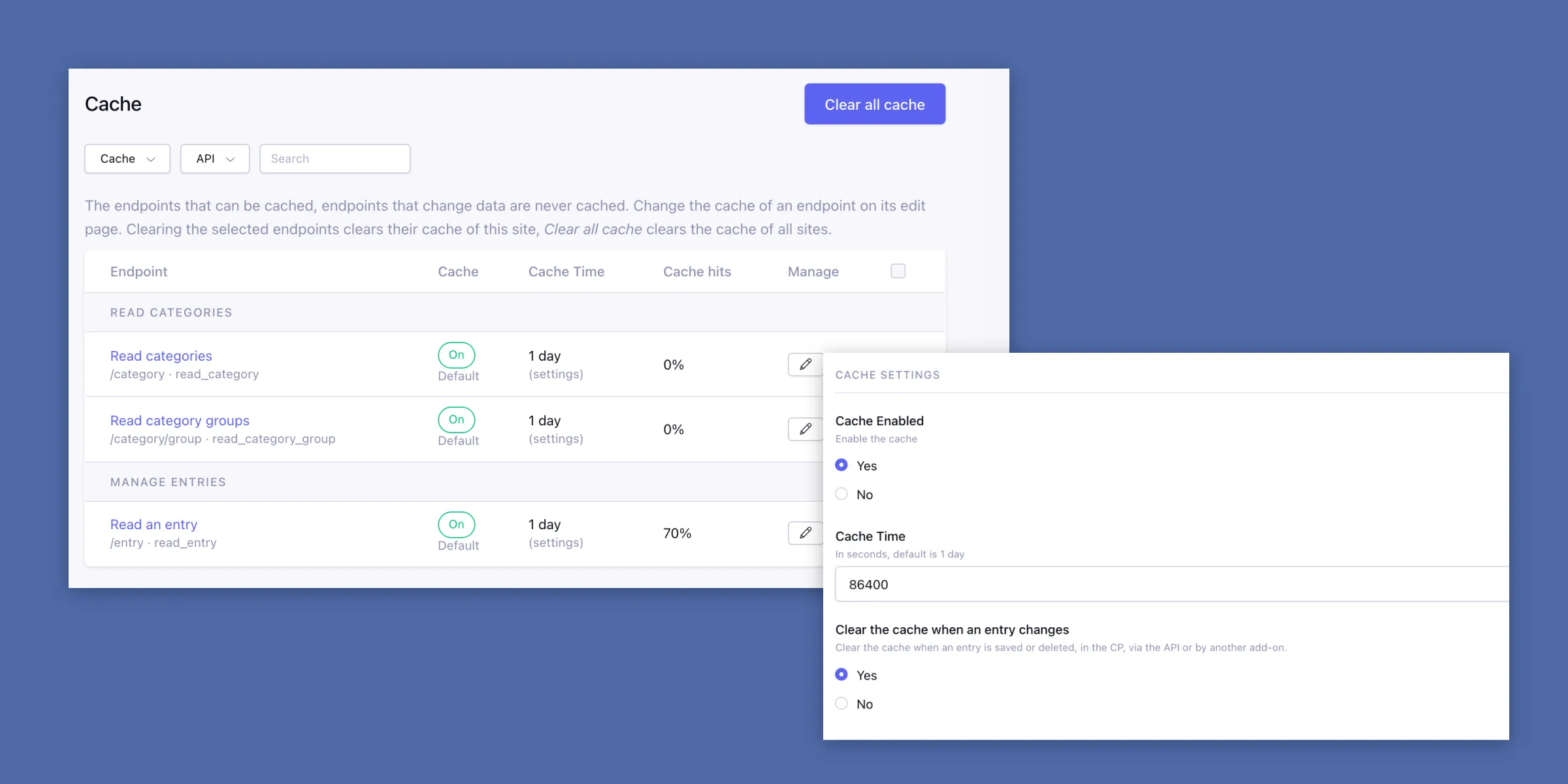
A repeated call with the same data is answered from the cache.
Read more (opens in a new tab) -
Rate limiting
Limits per member and per IP address, against overload and guessing.
Read more (opens in a new tab) -
Your own API
Add your own endpoints, with the same authentication, permissions, logging and caching.
Read more (opens in a new tab)
Your fields as JSON
Grid, Fluid and relationships, as plain JSON
Send Grid rows, Fluid blocks and related entries as JSON when you create or update an entry. The Entry API puts them in the right fields.
Reading an entry? Add include=parents|structure to also get the entries that relate to it and its Structure page.
POST /index.php/webservice/entry
{
    "data": {
        "channel_name": "news_channel",
        "title": "Test entry",
        "grid": {
            "rows": [
                { "cell_1": "row 1", "cell_2": "row 11" }
            ]
        },
        "relationship": [2, 3, 4, 5],
        "fluid": [
            {
                "field": "fluid_field_name_wyvern",
                "value": "<p>Wyvern</p>"
            }
        ]
    }
}
Member, Comment and Category API
Members, comments and categories in the box
Next to entries, the module has a Member, Comment and Category API. No separate packages to install or keep up to date.
Switch the Member and Comment API on in the settings. They follow the registration, profile and comment rules of ExpressionEngine and the permissions of the member.
Read more in the docs (opens in a new tab)# Member API
POST /webservice/member
GET /webservice/member
PUT /webservice/member
PUT /webservice/member/password
DELETE /webservice/member
# Comment API
POST /webservice/comment
GET /webservice/comment
PUT /webservice/comment
DELETE /webservice/comment
# Category API, read only
GET /webservice/category
GET /webservice/category/groupEndpoints overview
Every endpoint in one overview
The Endpoints page lists every endpoint of the installed APIs with its status, calls, errors, average duration and cache hits for the period you choose.
Select endpoints to enable, disable or make them public in one go. A public endpoint answers without credentials. Import the endpoints in Postman, or generate a client, with the OpenAPI specification.
Read more in the docs (opens in a new tab)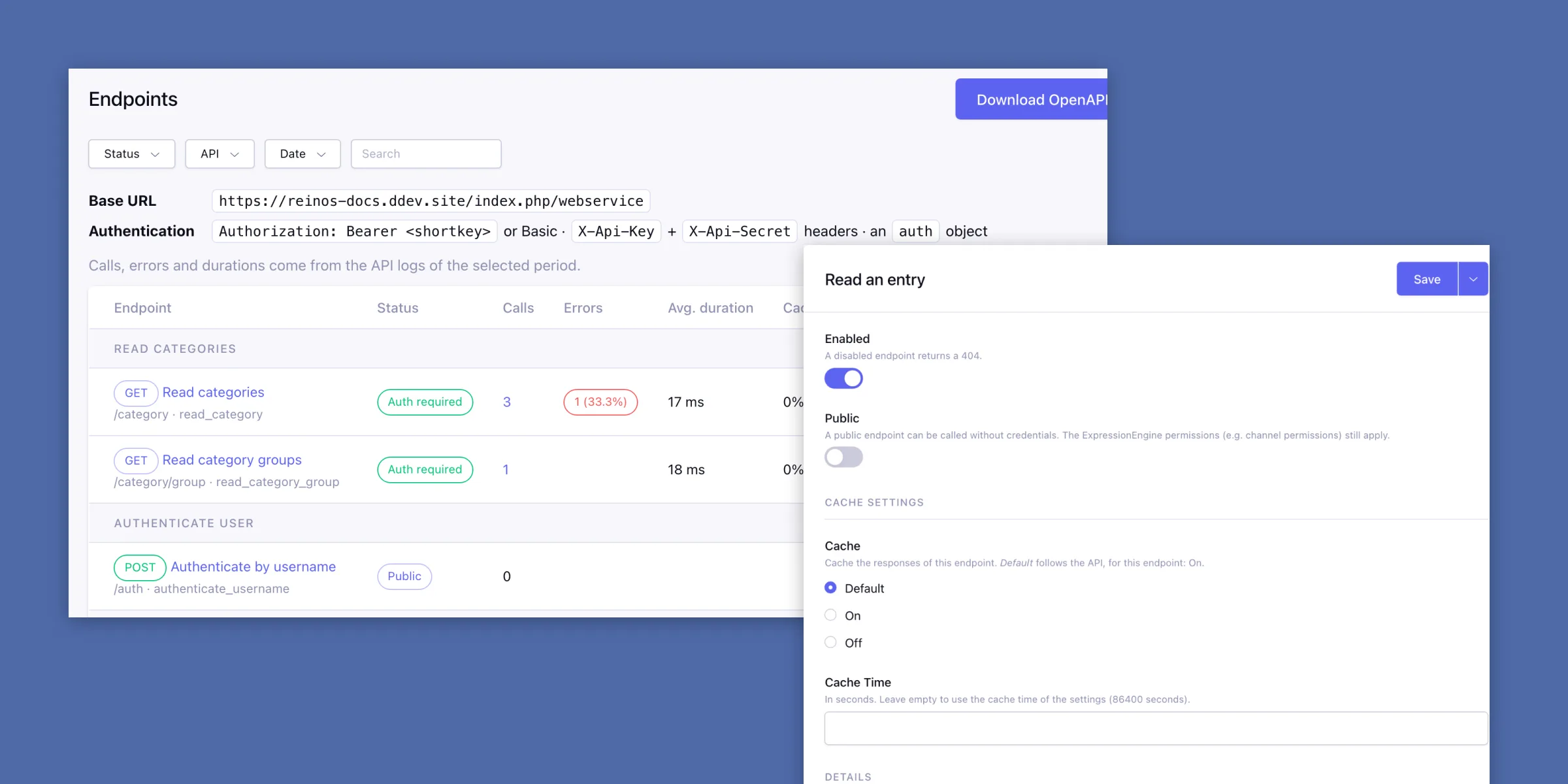
Try it
Try a call before you write code
Every endpoint has a Try it page. Send a request as yourself, with the credentials of a member or without any, and see the status, the duration, the headers and the formatted response.
Copy the cURL command of the request, or pick one of your last five requests to send it again.
Read more in the docs (opens in a new tab)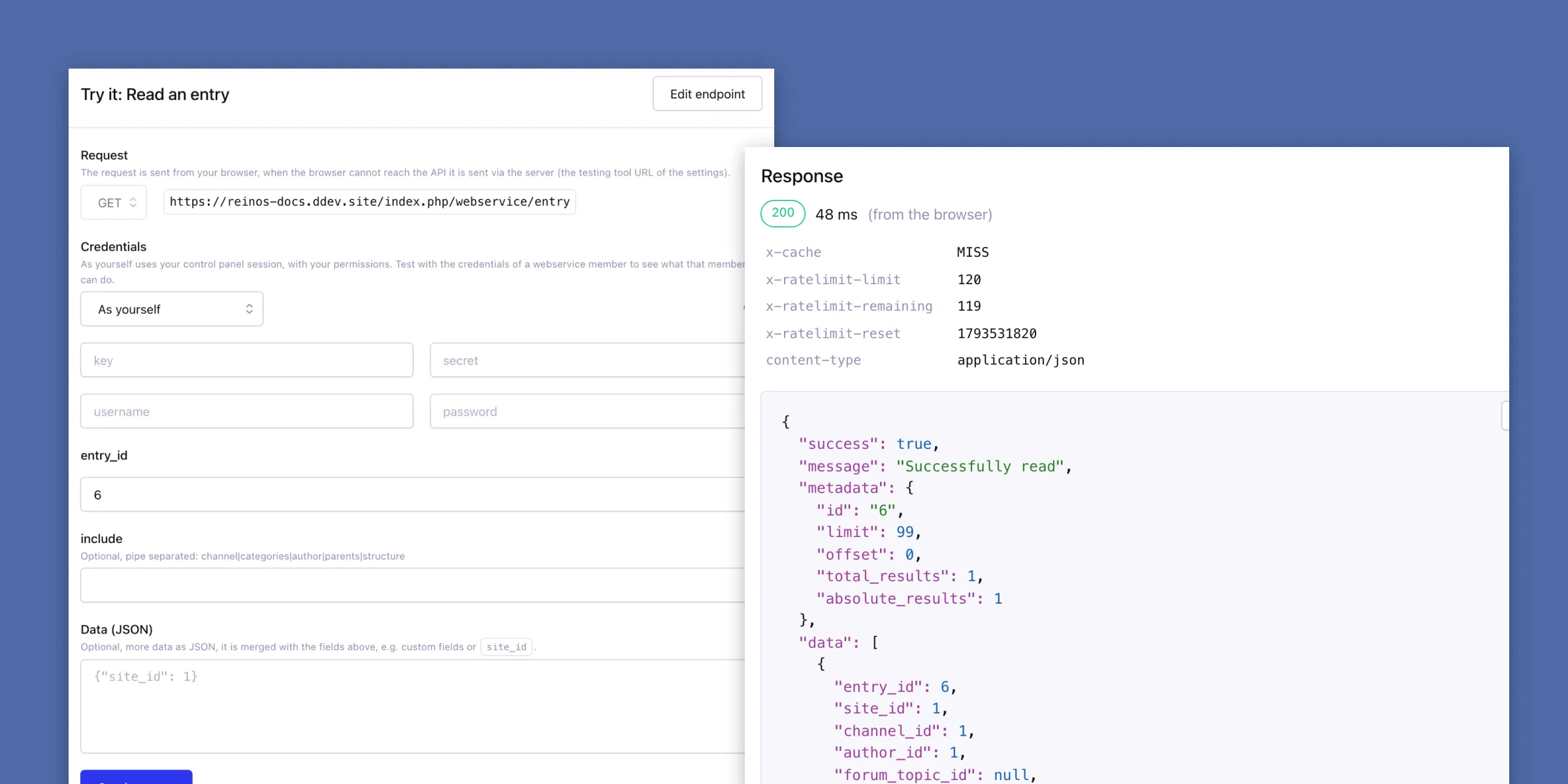
Shortkeys and key/secret
Its own key for every app
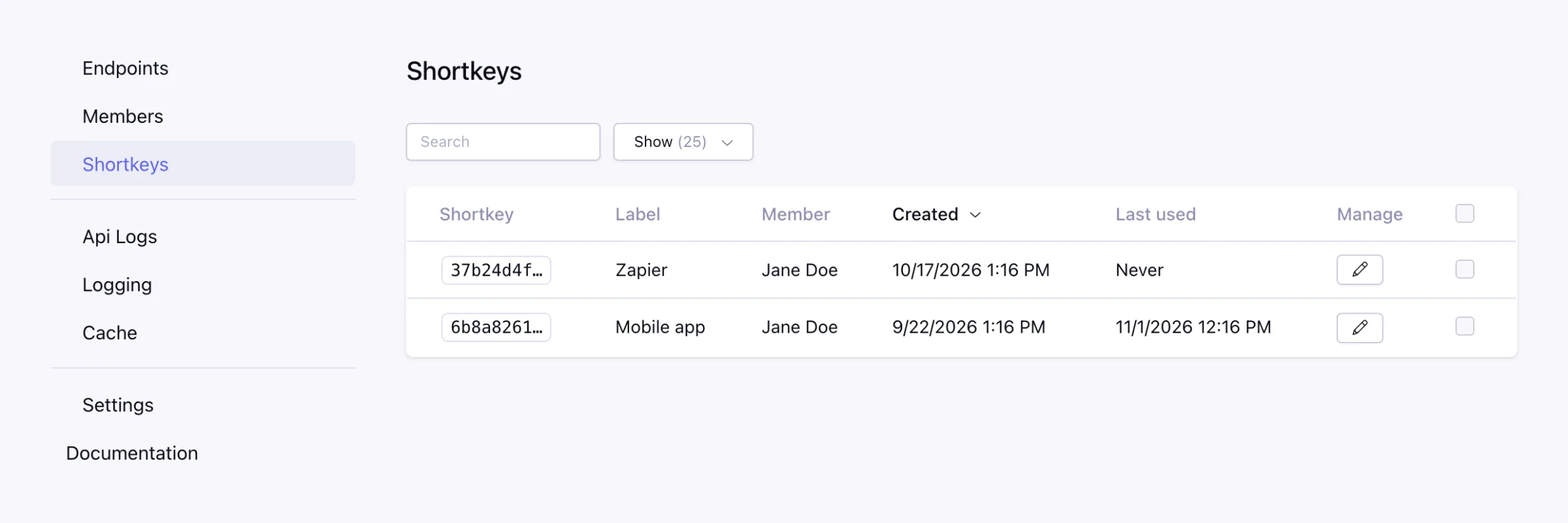
Give every app a shortkey with a label, see when it was last used, and revoke it without touching the others. Send it as a Bearer header, or use a key and secret, Basic auth or a session.
A member only reaches the APIs you selected for it, and only does what its role allows in the control panel.
Read more in the docs (opens in a new tab)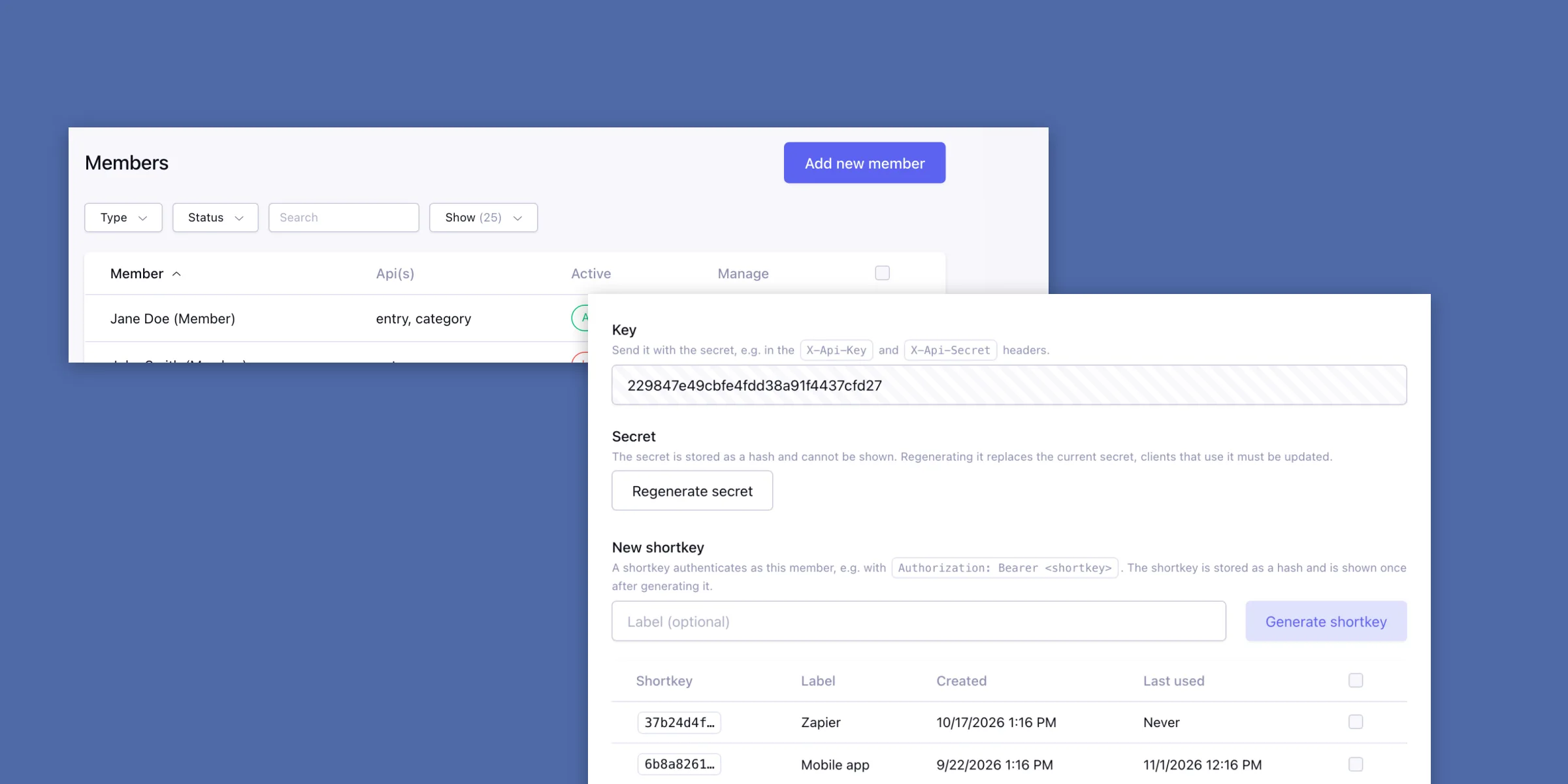
Your own API
Missing an endpoint? Add your own
Put a webservice_settings.json in your own add-on and a class with a static method per endpoint. The module turns what the method returns into the JSON response.
Your endpoints get the same authentication, permissions, logging, caching and rate limiting, and show up in the endpoints overview, on the Try it page and in the OpenAPI specification.
Read more in the docs (opens in a new tab){
"name": "news",
"label": "News",
"auth": true,
"methods": [
{
"route": "/{entry_id}",
"http_method": "GET",
"method_name": "read_news_item",
"name": "Read one news item",
"cachable": true
}
]
}API logs
See what every call did
With Log requests on, every call is logged with the time, the member, the IP address, the HTTP status and the duration. With Debug on, the queries and the response data are logged too, so you see why a call is slow or fails.
Read more in the docs (opens in a new tab)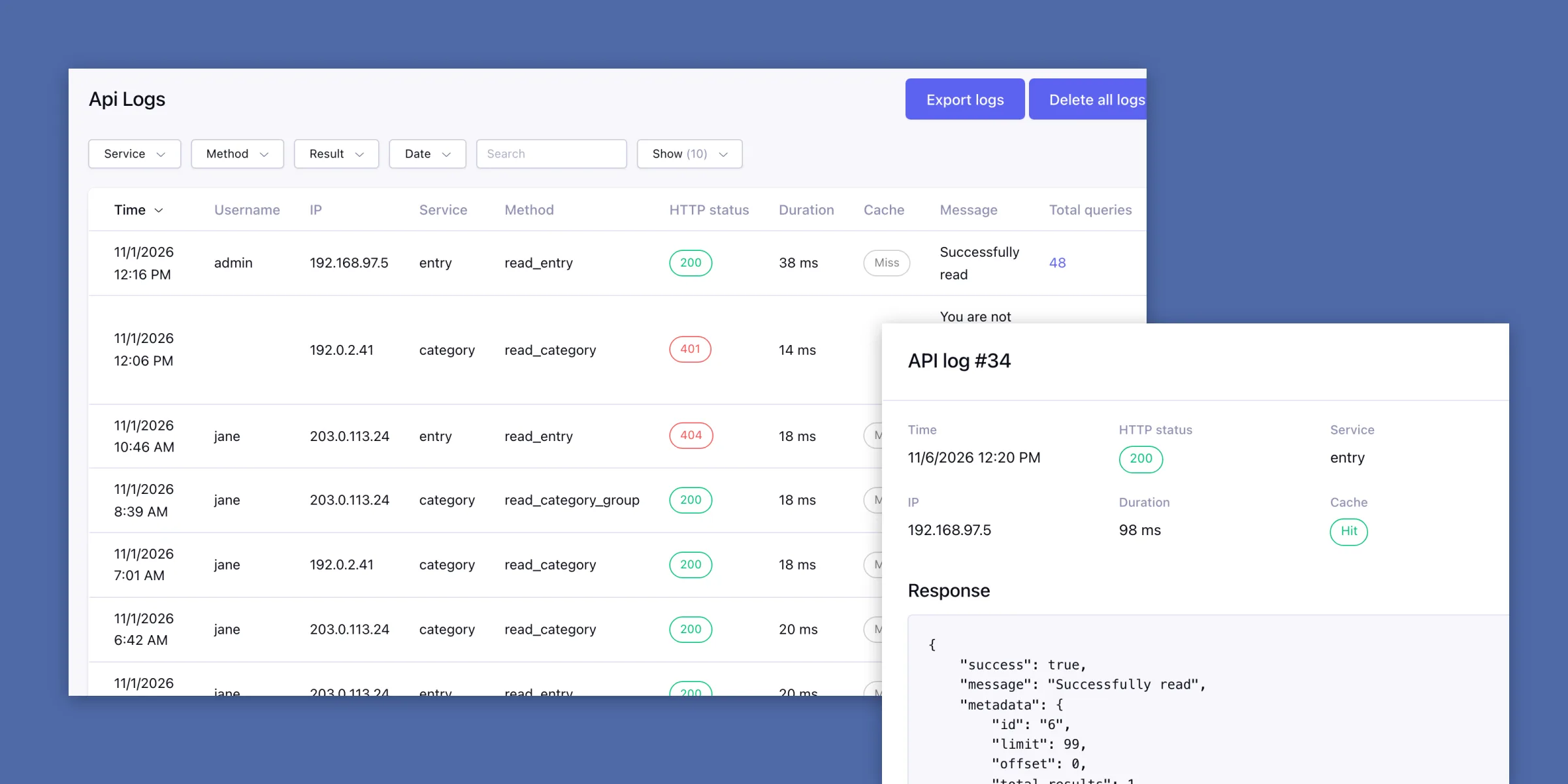
Rate limiting
Protected against overload and guessing
Set the calls per minute for each member, and for public endpoints per IP address. A call over the limit gets a 429 and is not run.
After a set number of failed authentications in a minute (ten by default), an IP address is locked out for the rest of that minute.
Read more in the docs (opens in a new tab)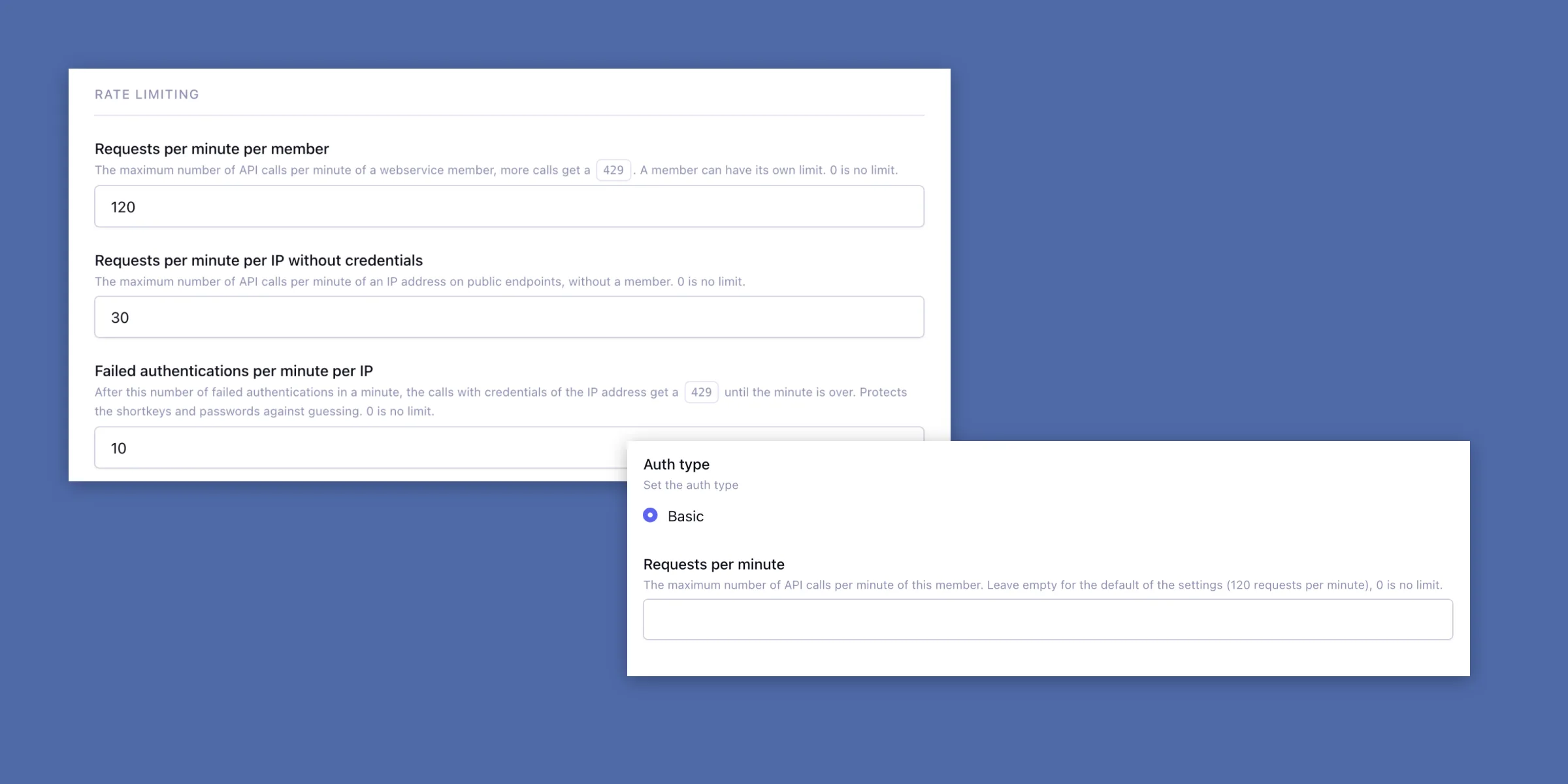
Screenshots
Get Webservice
€59,95 per site, updates and support included.
Requires ExpressionEngine 7.3+ and PHP 8.0+. Installation (opens in a new tab)